Professional · Miron Construction · May–August 2026
Alexander Gymnasium · Point-Cloud Visualization
Alexander Gymnasium was scanned to support façade repairs by Miron’s self-perform masonry team. I worked with the point-cloud information, elevation sheets, and grid-based coordination, and explored the same captured conditions in Twinmotion.
- My contribution
- Point-cloud visualization & elevation-grid documentation for façade repair coordination
- Tools used here
- ReCap · Revit · Autodesk Forma · Twinmotion
Internship contribution within Miron Construction’s project teams
04 · Featured work · Twinmotion
Existing conditions.
A clearer view.
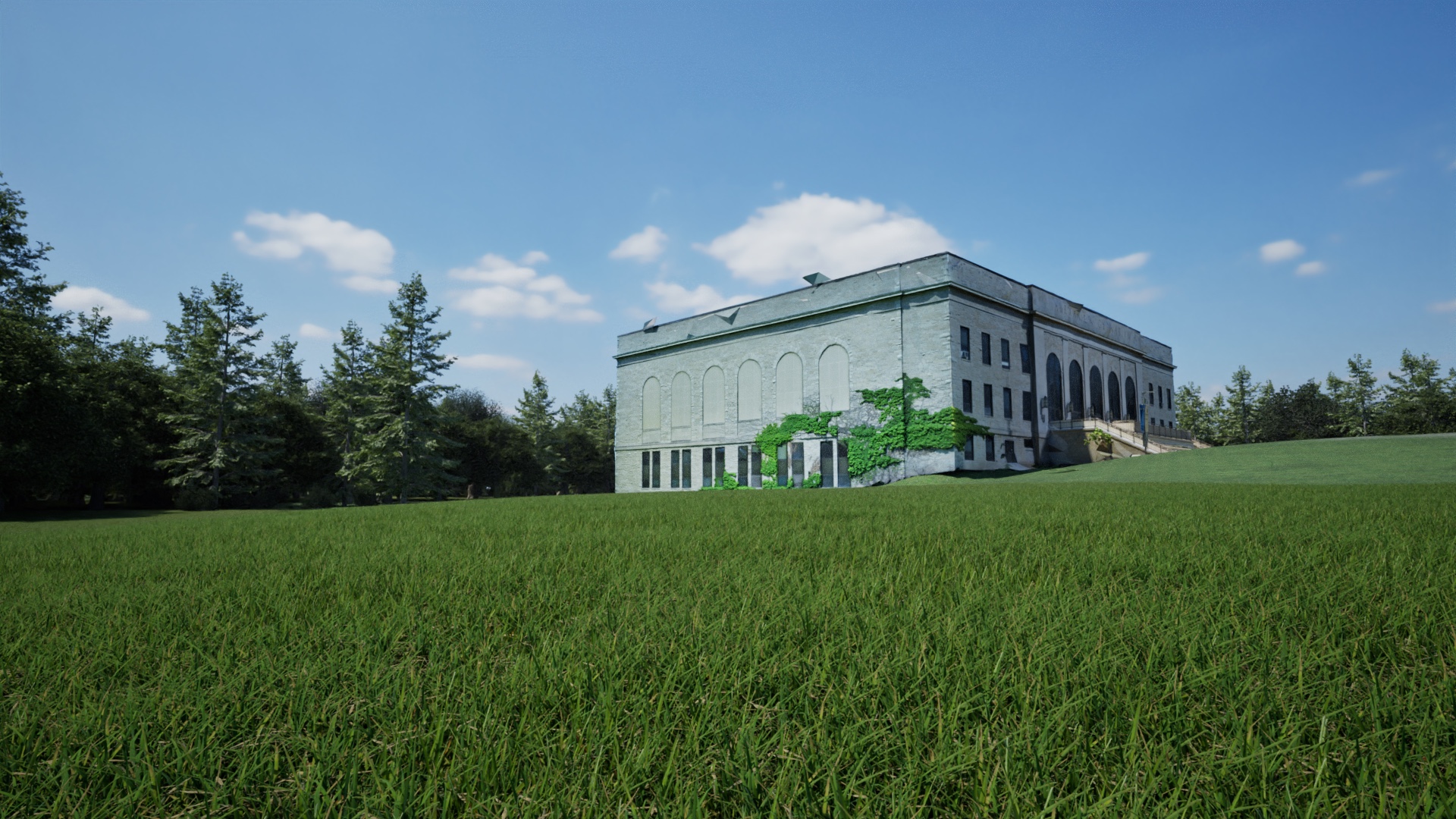
The main reason for scanning Alexander Gymnasium was to support façade repair coordination for Miron’s self-perform masonry team. Alongside that documentation work, I explored bringing the captured conditions from ReCap into Twinmotion. The visualization below is a native Twinmotion render, with no generative AI used.
From Information to Image
Supporting studies · Select an image to expand
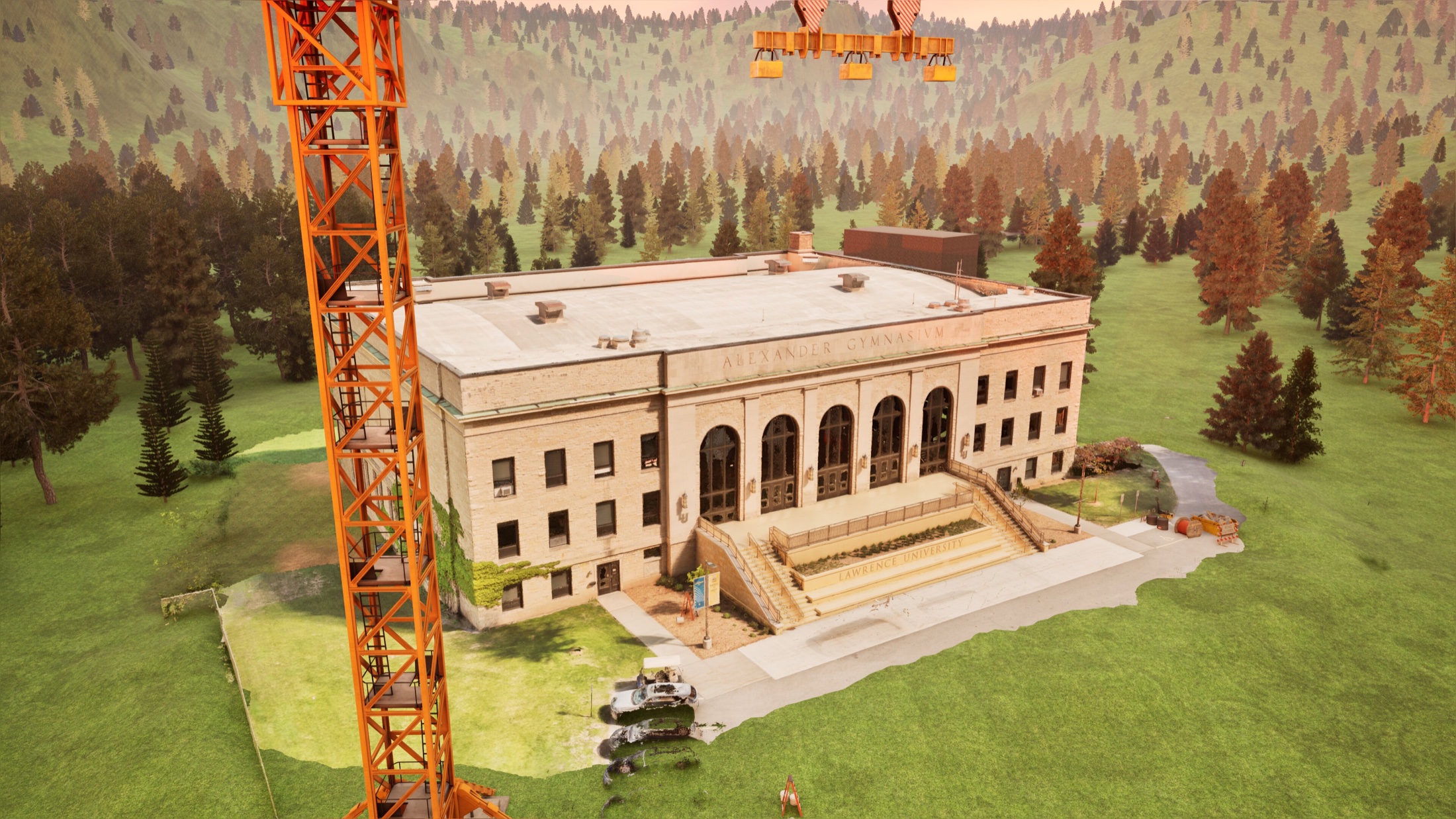 Alternate visualization · Equipment & site contextNative Twinmotion render · No generative AIExpand +Close −
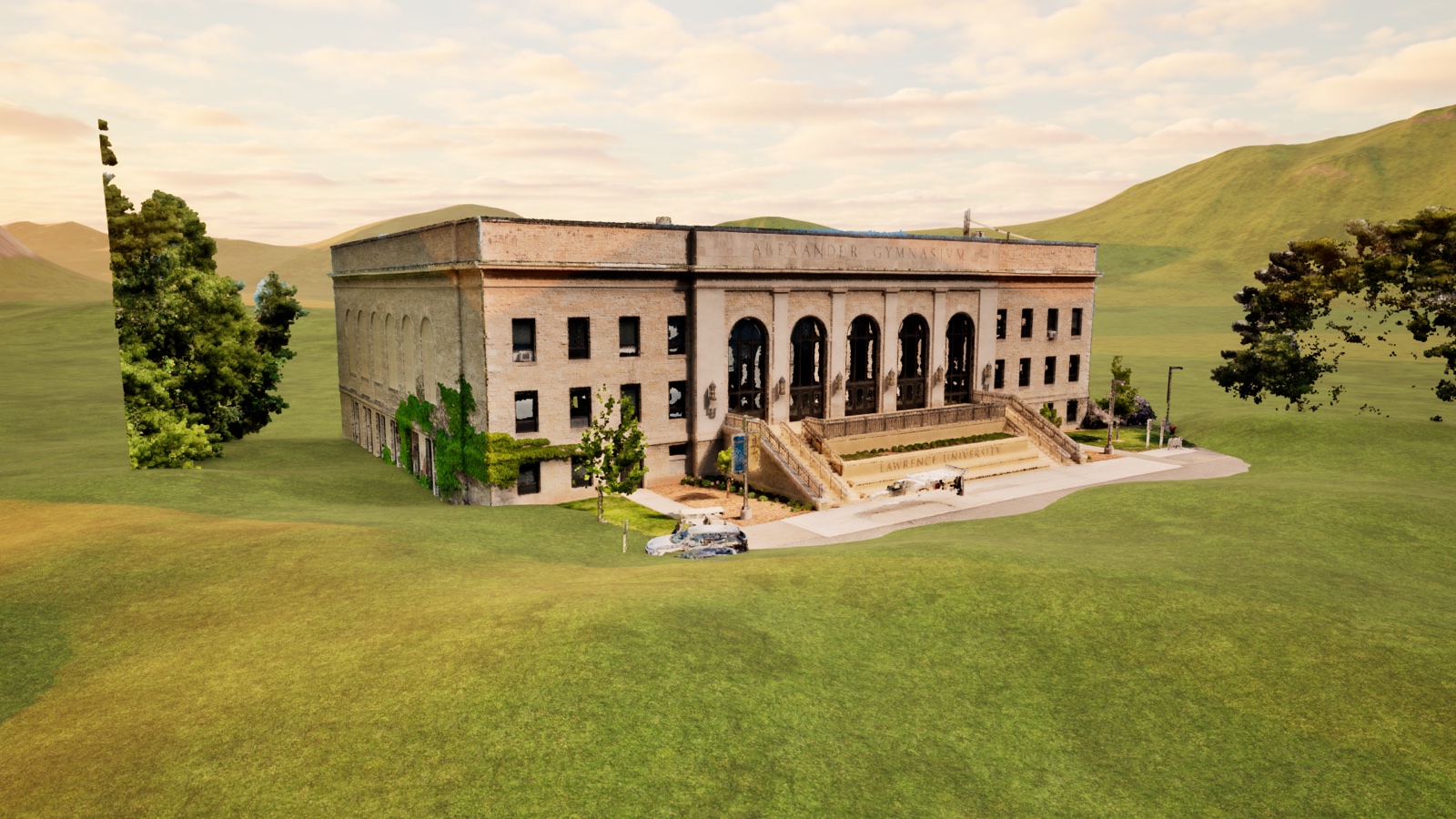 ReCap → Twinmotion · Point-cloud studyNative Twinmotion render · No generative AIExpand +Close −
From Scan to Façade Repair Coordination
Revit elevations → Autodesk Forma
We used the elevation sheets to create a grid in Autodesk Forma, linking each grid block to an enlarged view of that façade segment. This gave the self-perform masonry team a shared way to locate and coordinate repairs. The four elevations below show the documentation behind that workflow.
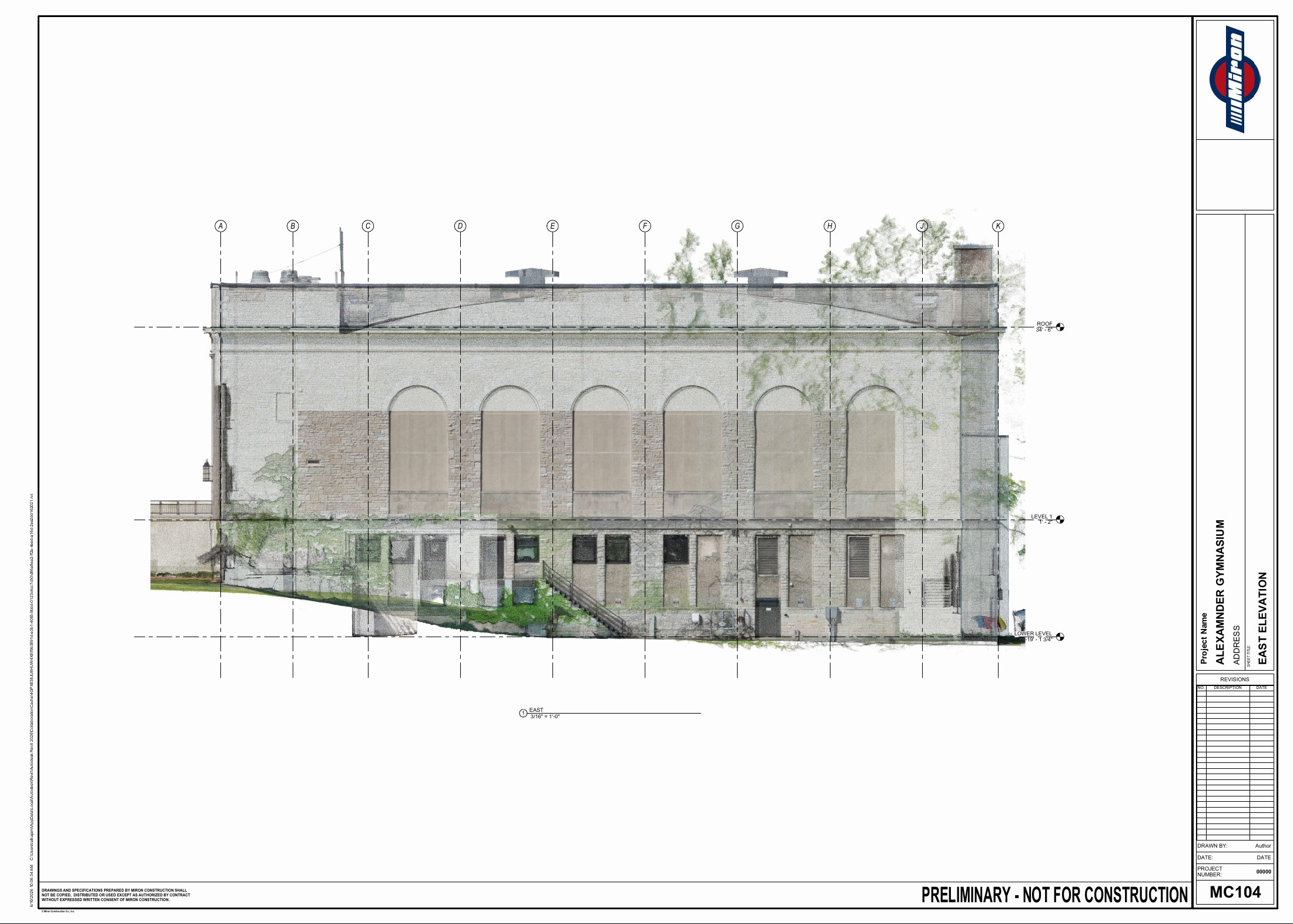 East elevation · Façade coordination gridExpand +Close −
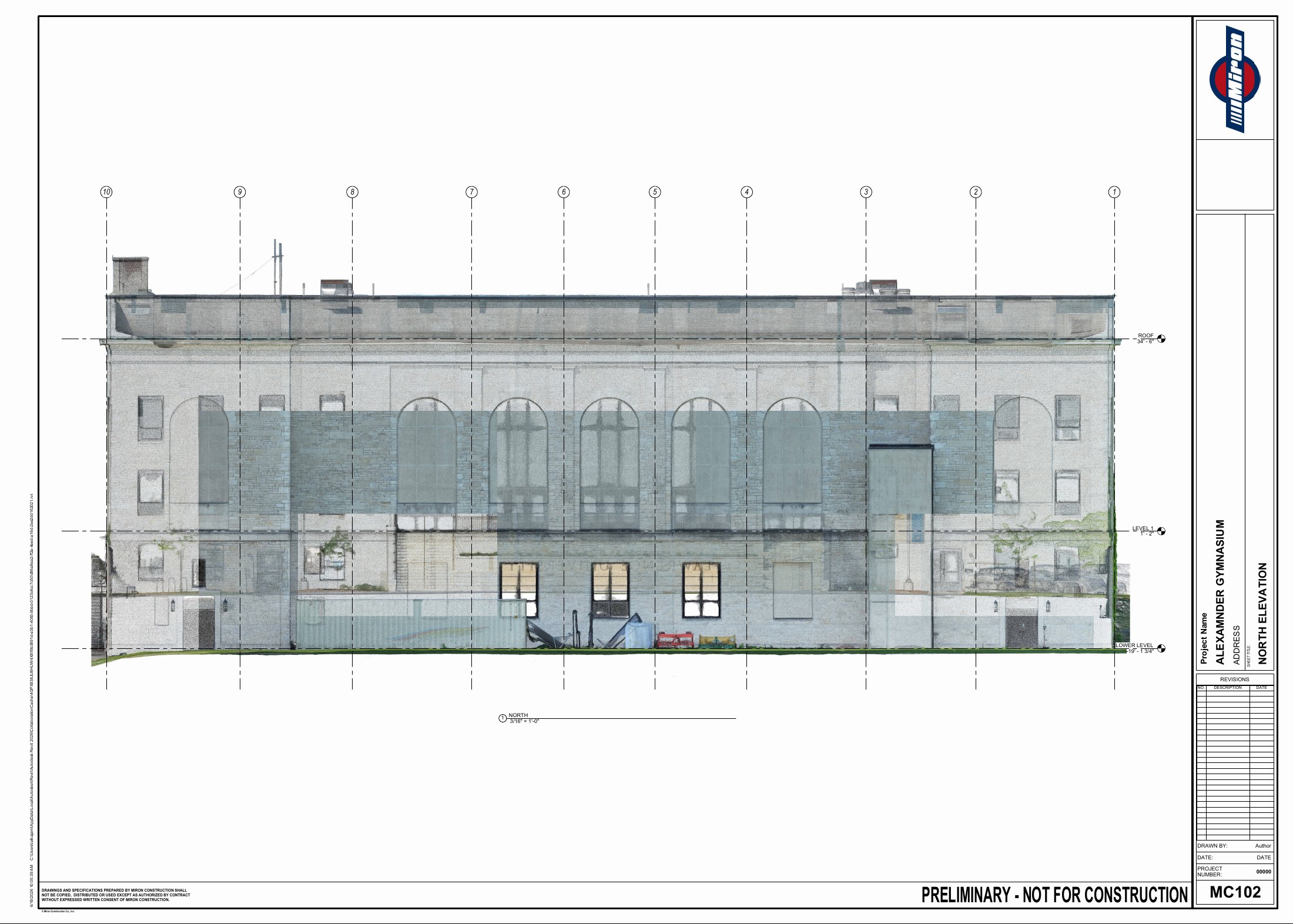 North elevation · Façade coordination gridExpand +Close −
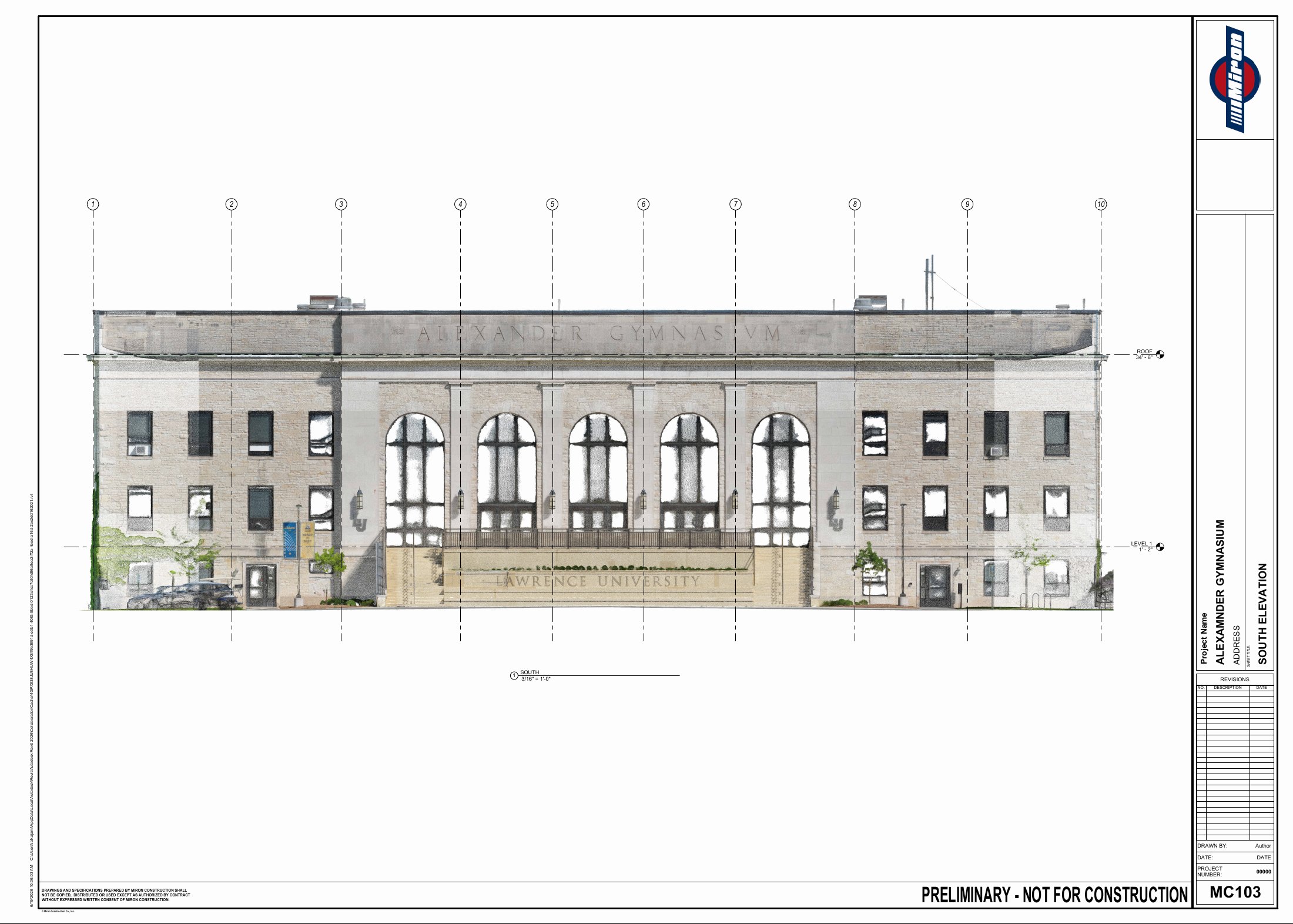 South elevation · Façade coordination gridExpand +Close −
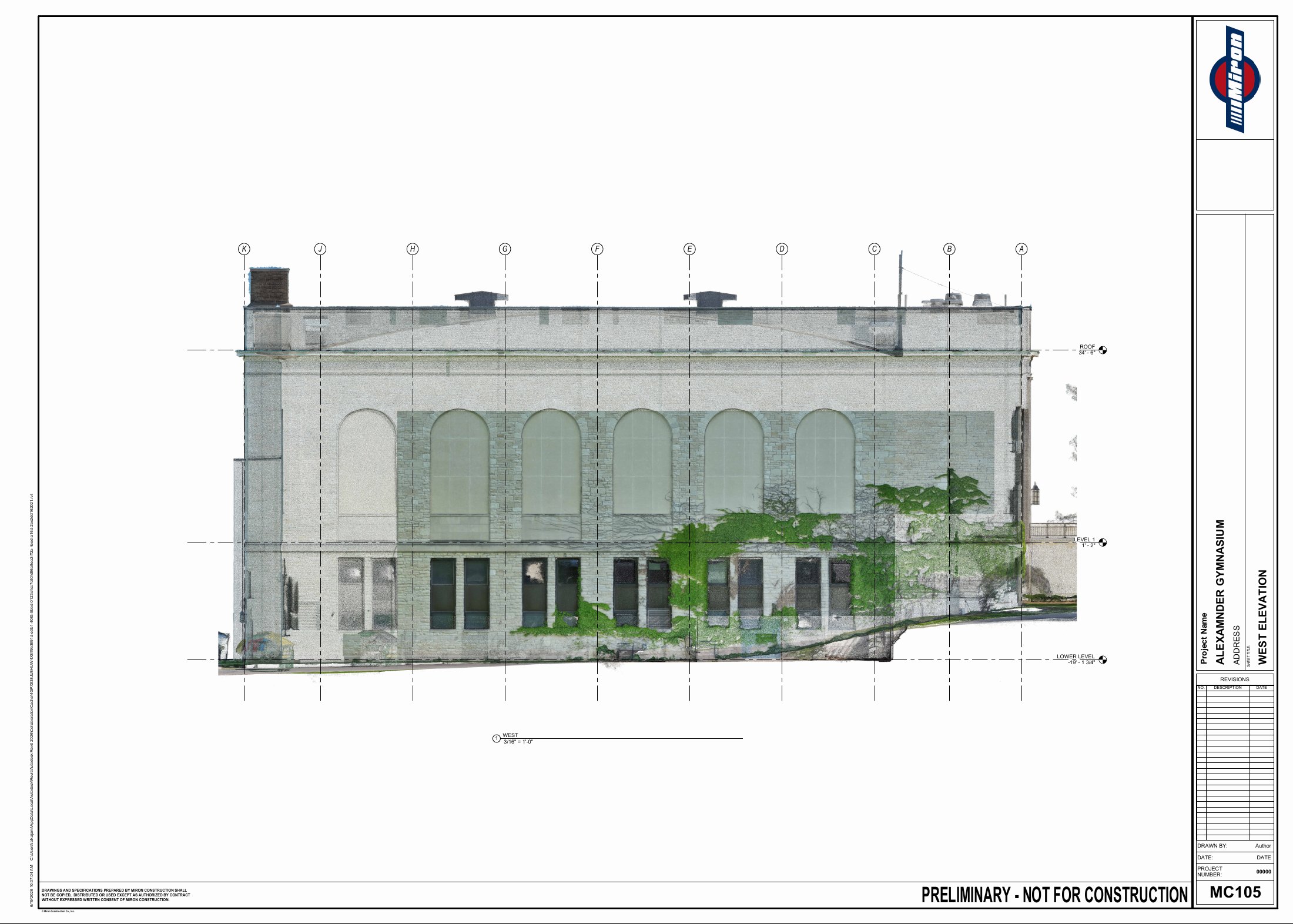 West elevation · Façade coordination gridExpand +Close −
Preliminary · Not for construction. Portfolio demonstration only.