Professional · Miron Construction · May–August 2026
Miron VDC Internship
At Miron Construction, I developed steel sequences and logistics models, supported model coordination, and explored point-cloud visualization. These examples show my contributions within project teams.
- My contribution
- Virtual Design and Construction (VDC) Intern
- Tools used here
- Revit · Navisworks · P6 · SYNCHRO 4D · After Effects · CMBuilder · ReCap · Twinmotion · Autodesk Forma · Bluebeam · BIM²form
Internship work · Collaborative project teams · Preliminary examples retain their original labels
01 · Featured work · SYNCHRO 4D
Construction,
over time.
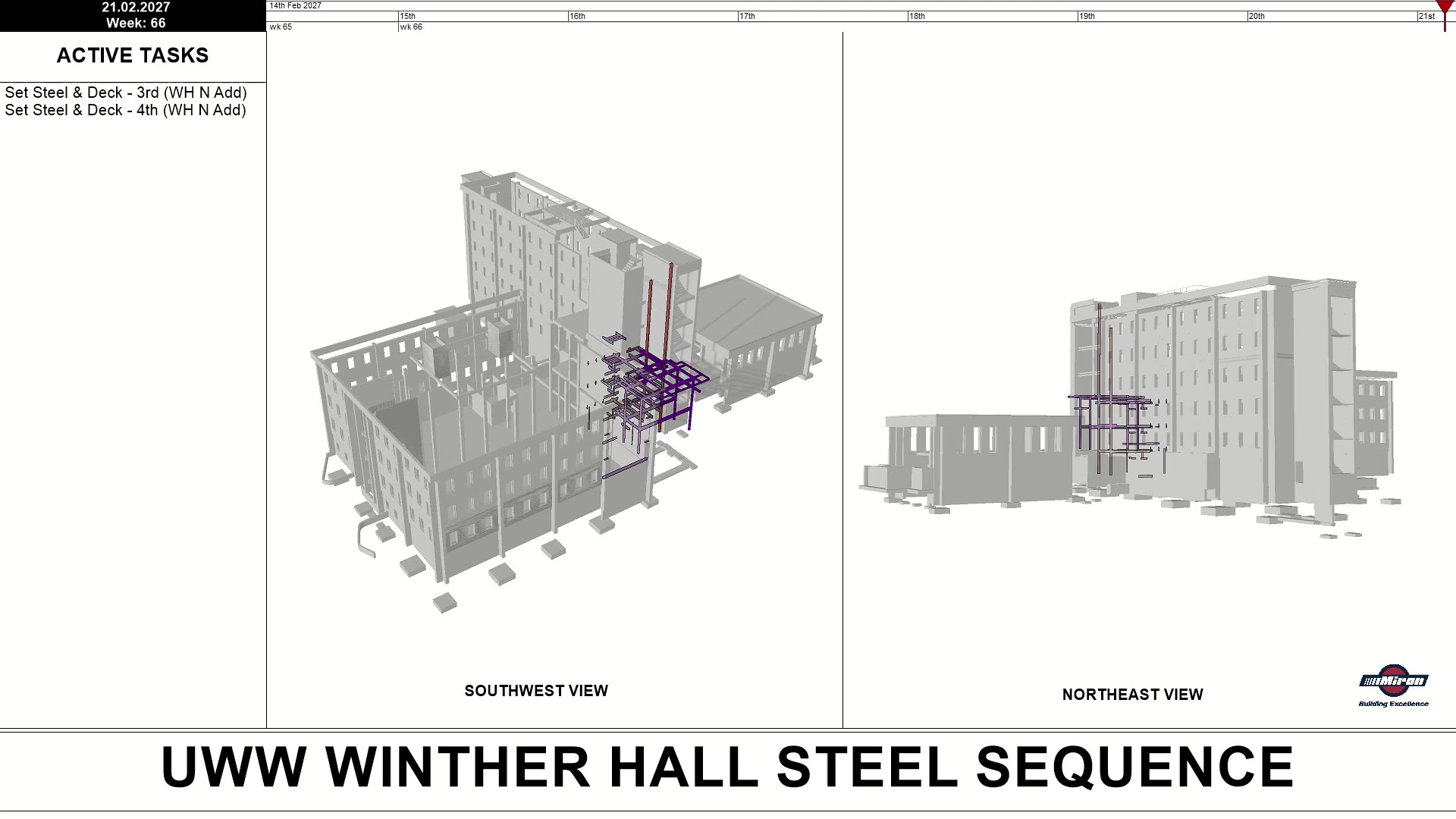
For UW–Whitewater’s Winther and Heide Hall work, I developed the complete steel sequences from the project’s P6 schedule and Revit model. Using Navisworks and SYNCHRO 4D, I connected model geometry with planned installation activities and built the paired views, active-task display, and timeline shown here. The building design and source schedule were project inputs, not my authorship.
Companion sequence
Heide Hall
A second sequence shows the steel frame progressing through the building’s levels, with the same relationship between tasks, time, and model geometry.
02 · Featured work · Workflow development
A repeatable workflow.
A clearer sequence.
I upgraded Miron’s VDC department’s SYNCHRO workflow by integrating its render output with After Effects. Rather than building a presentation from scratch each time, I standardized the exports and created a reusable project with nested compositions and custom code linking layers and comps. The result combines technical sequencing with a more polished visual presentation.
01 · Standardize
SYNCHRO export templates
I templated the render exports to produce the inputs the After Effects project expects, giving the workflow a consistent starting point.
02 · Connect
Drag-and-drop compositions
Custom code links nested layers and compositions so replacement exports feed the templated presentation, including model views, task information, the timeline, and key plan.
03 · Hand over
Documentation for continued use
I created comprehensive documentation for the complete workflow so the department could continue using it after my internship.
03 · Featured work · Concrete formwork & sequencing
Concrete,
pour by pour.
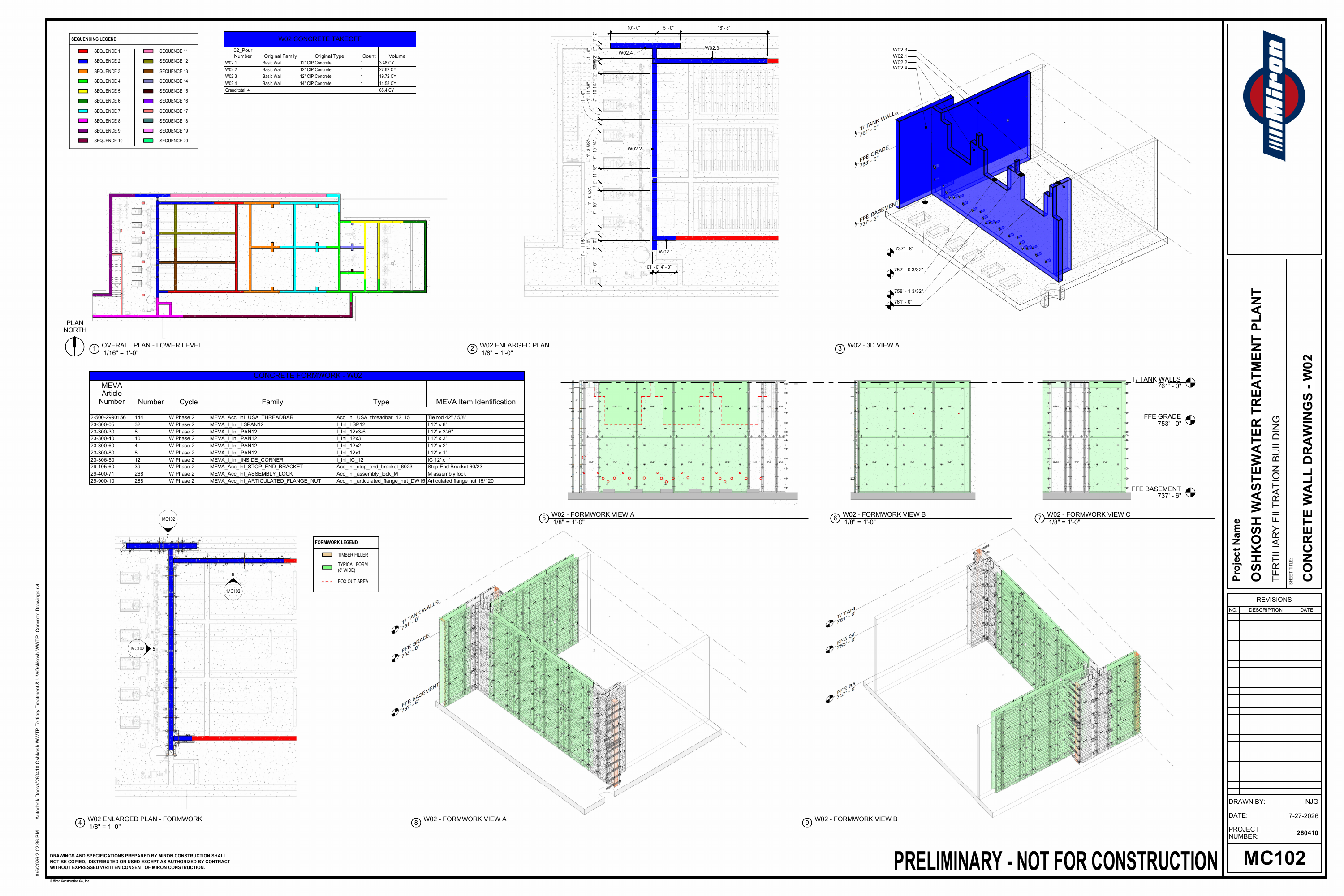
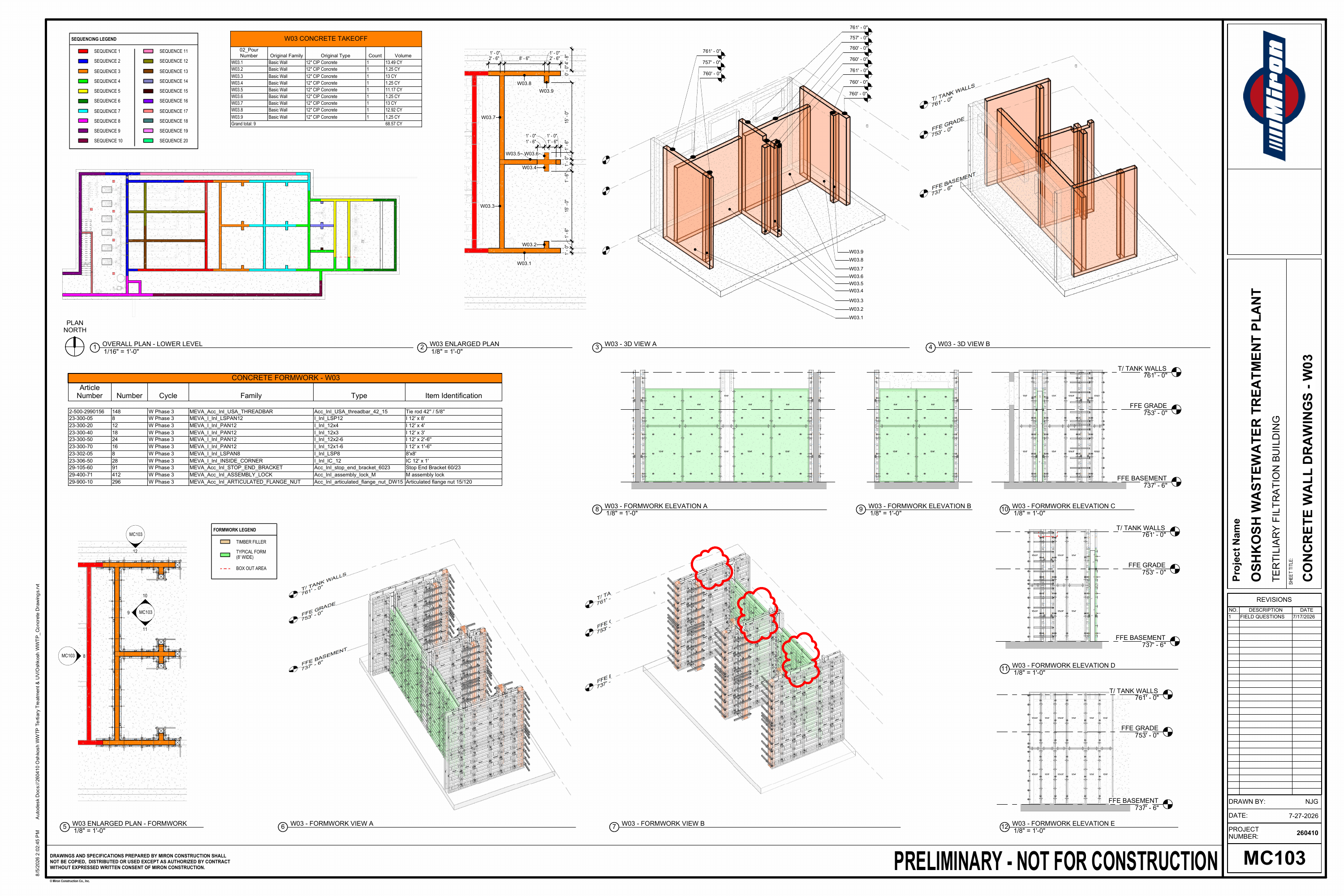
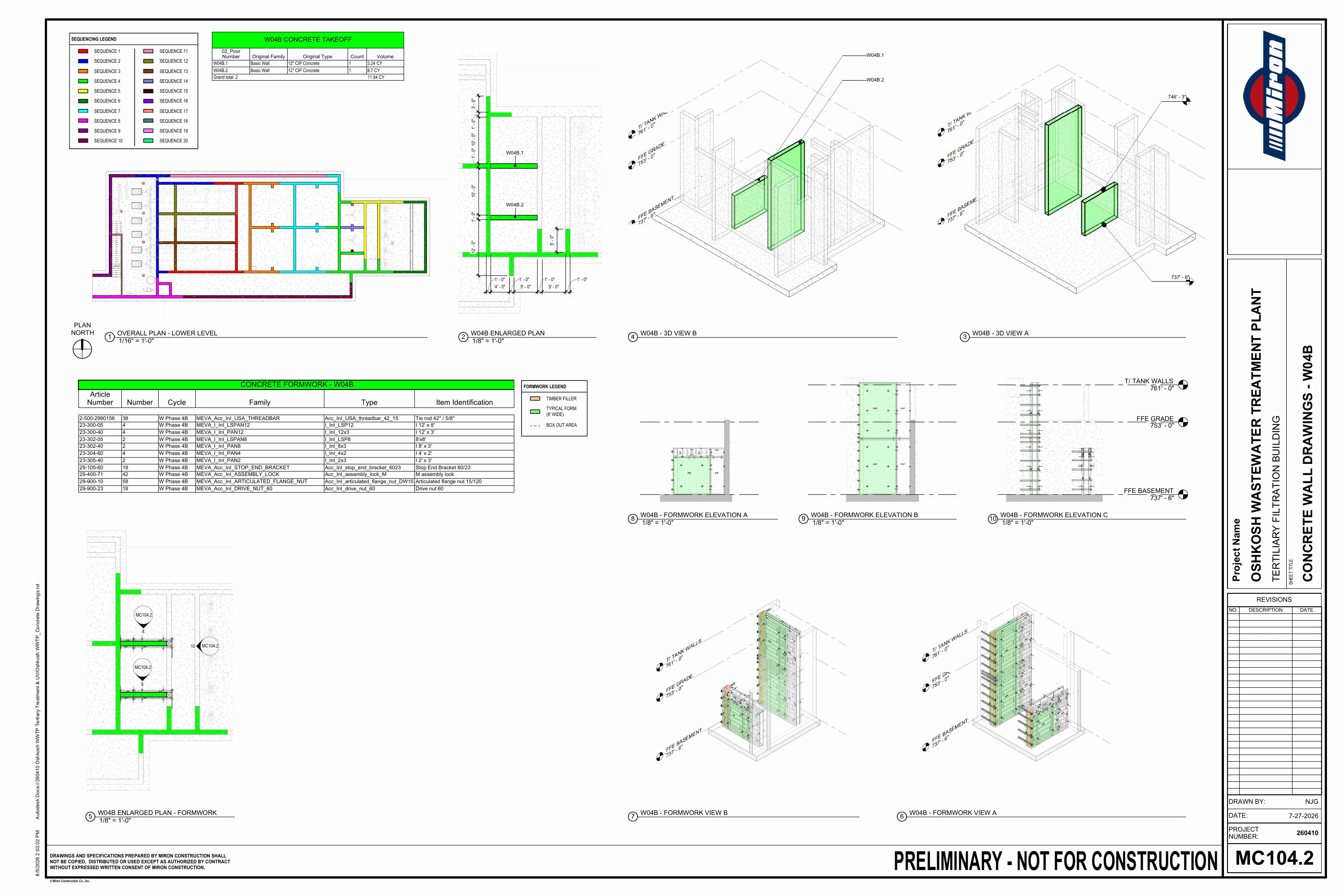
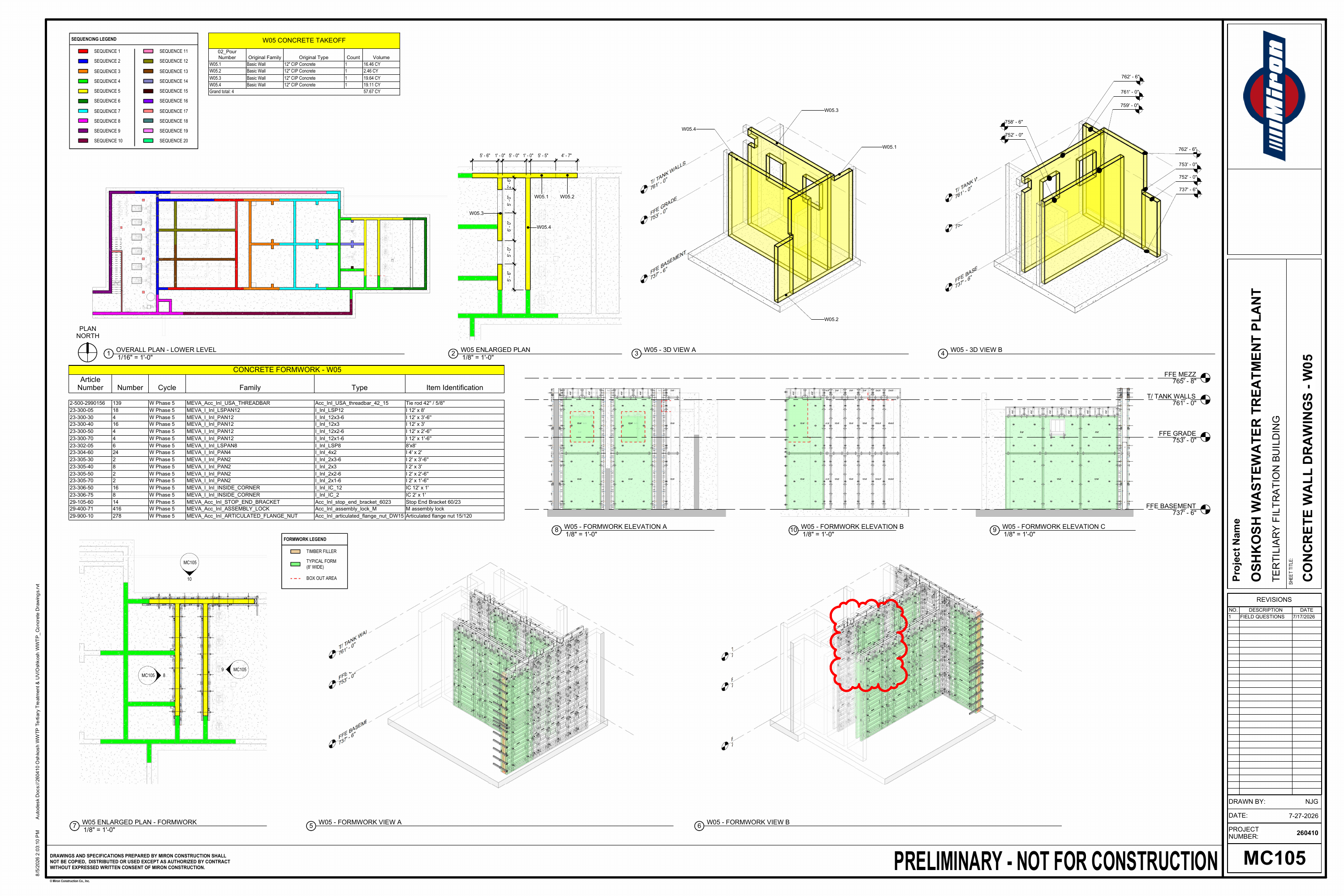
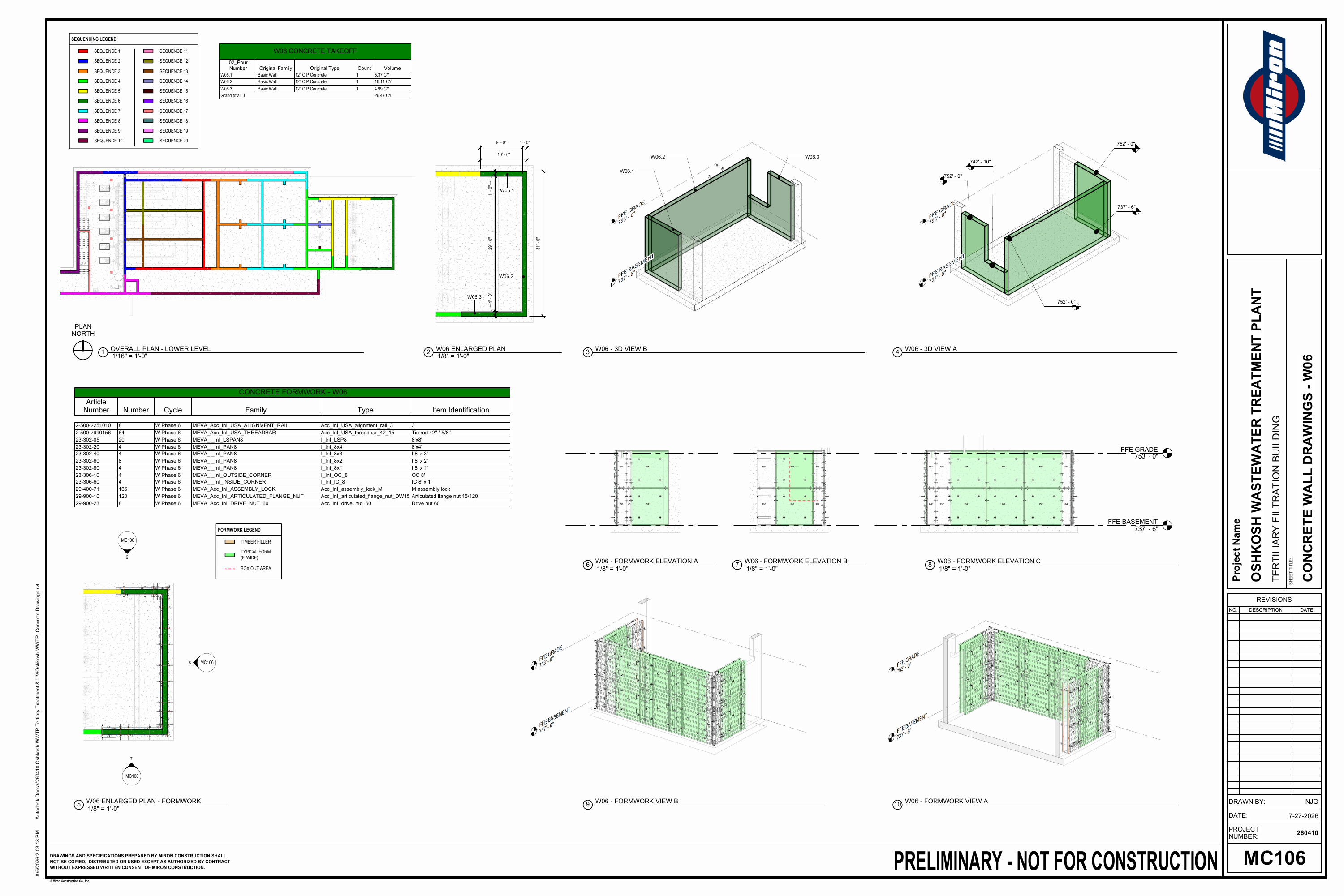
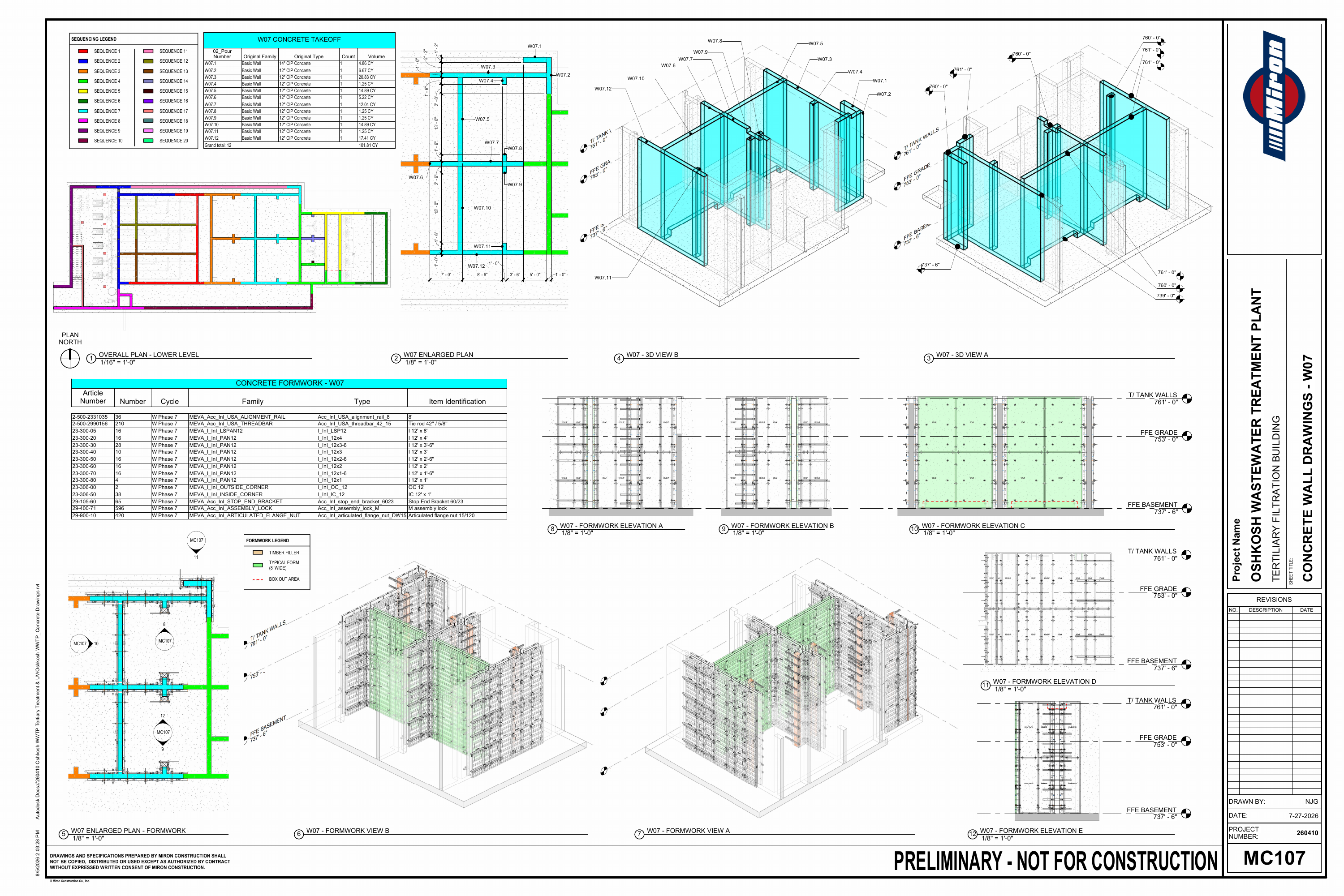
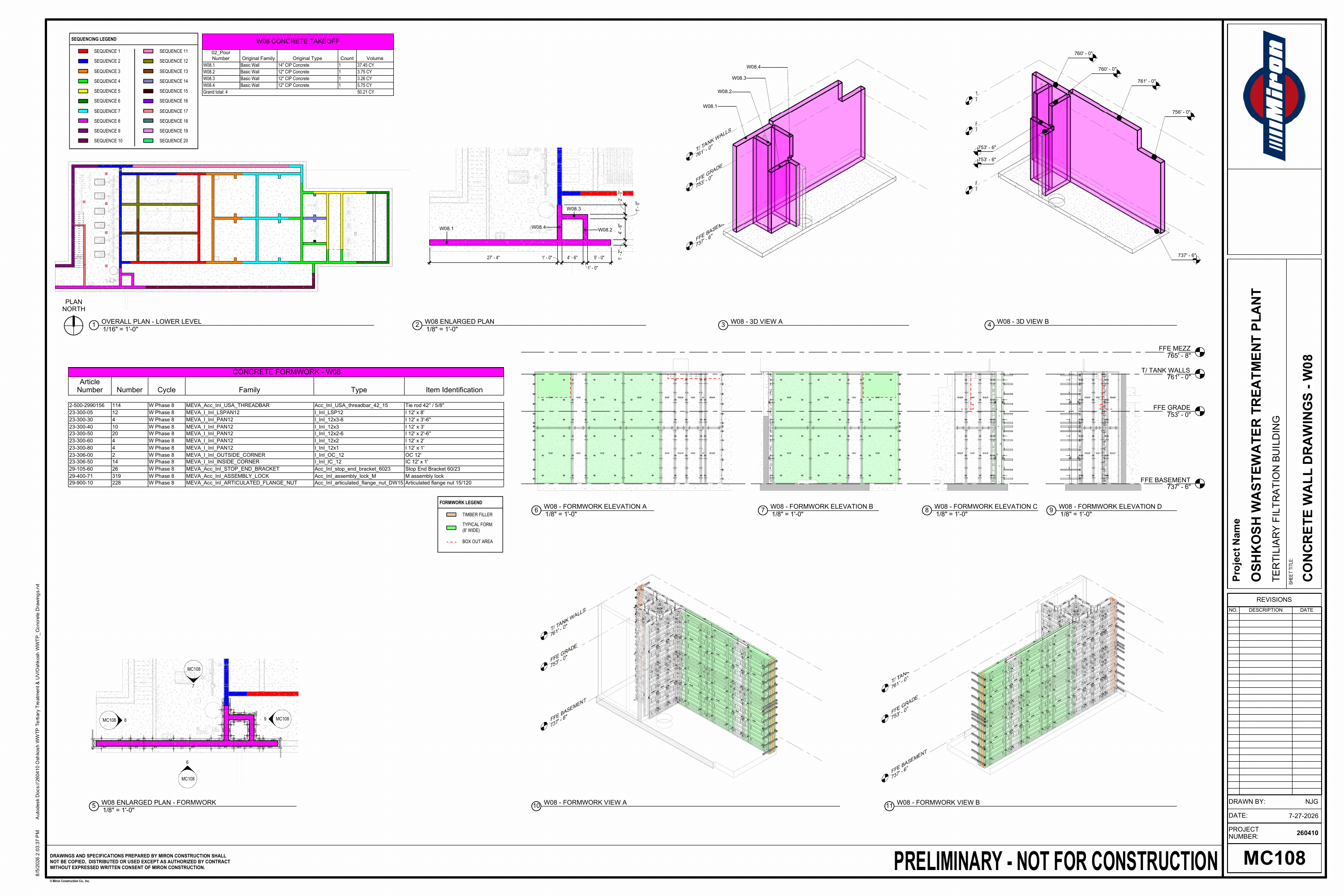
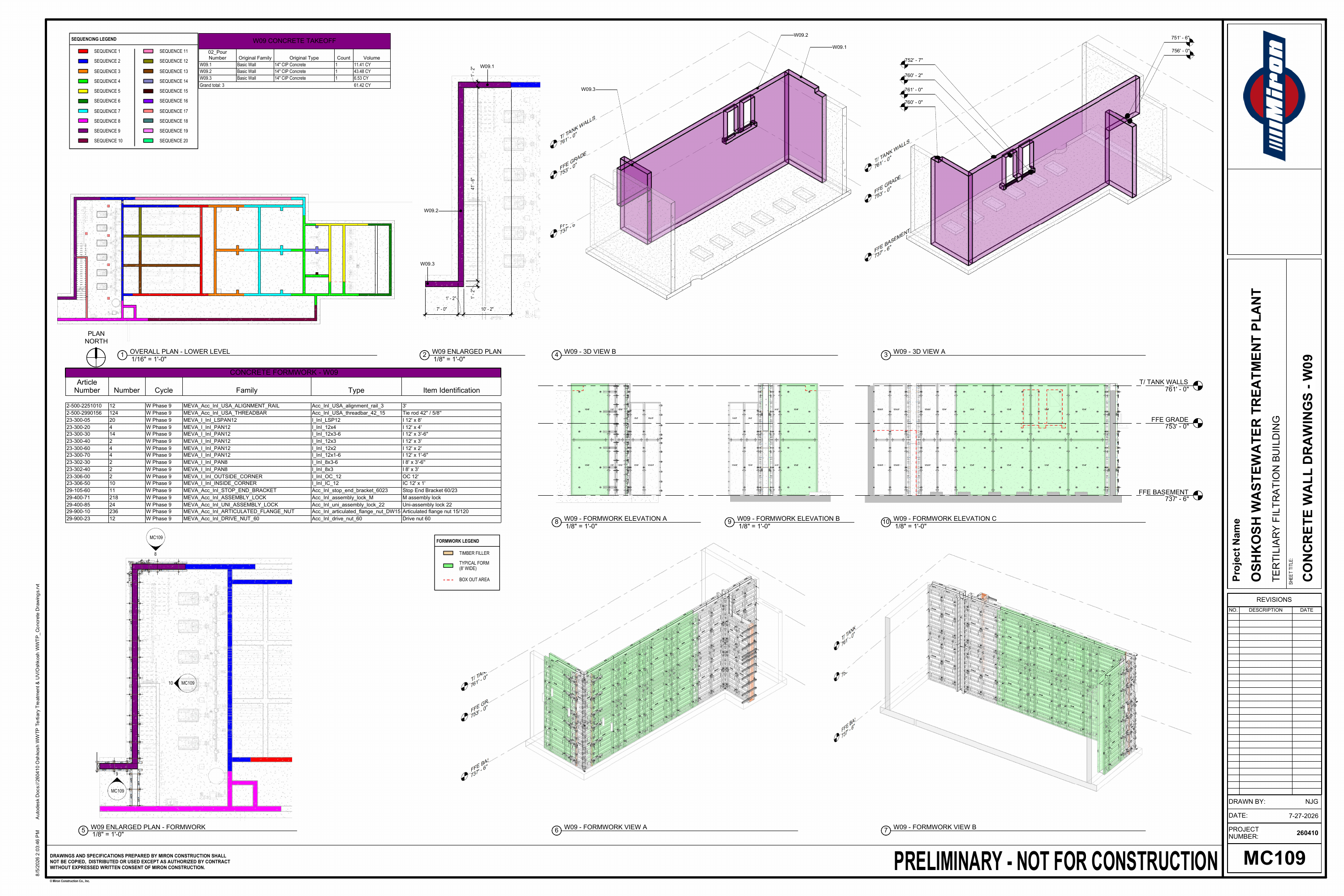
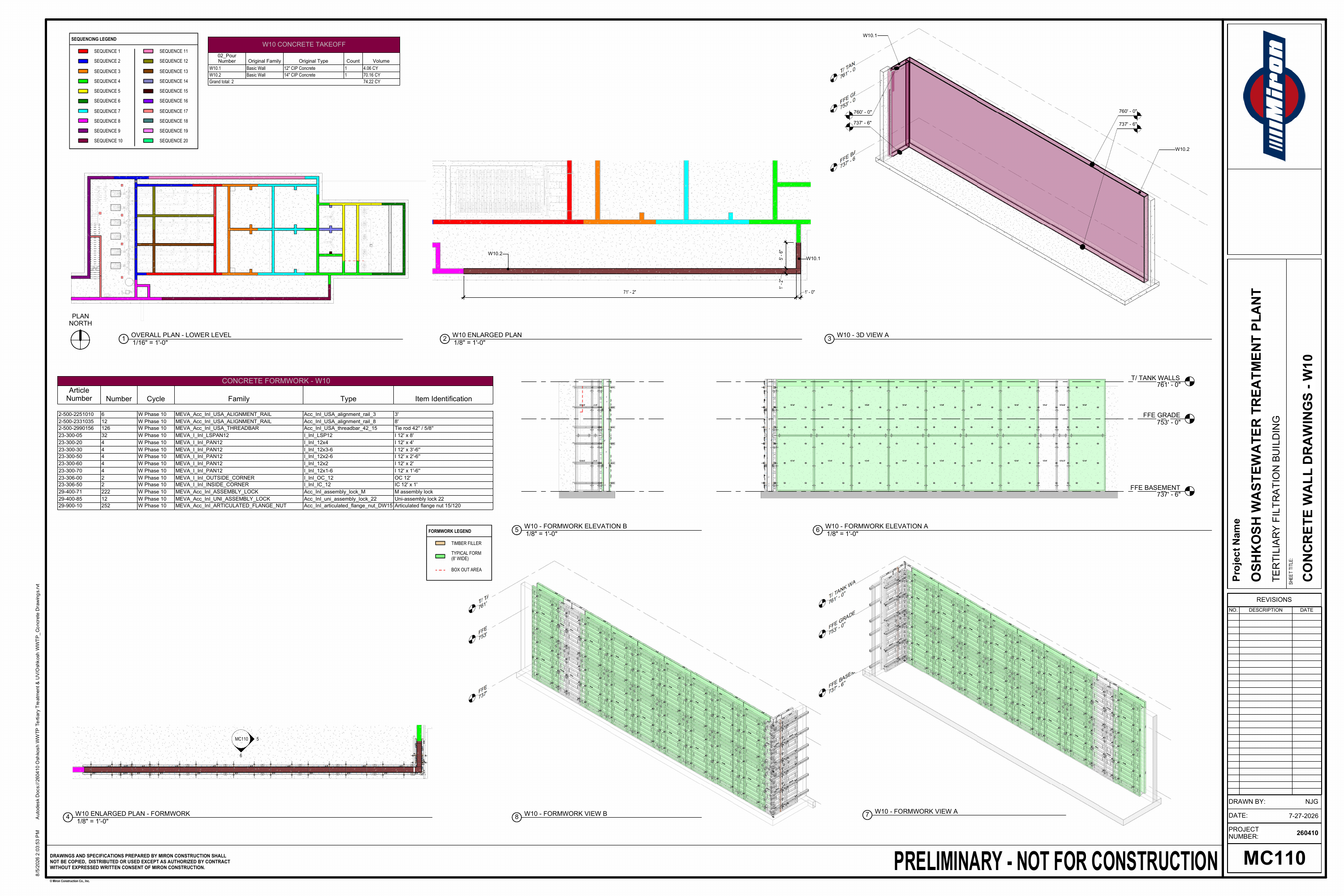
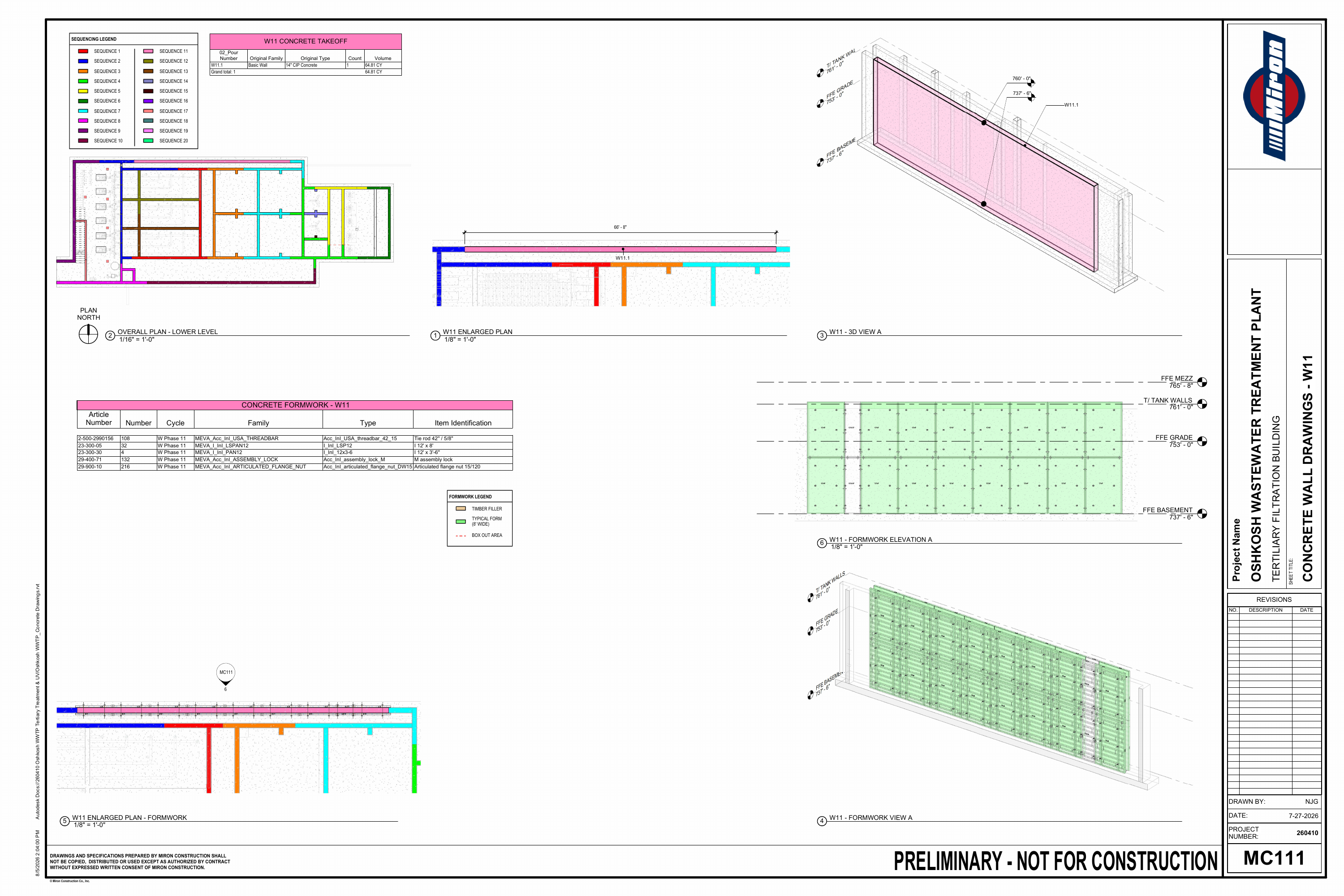
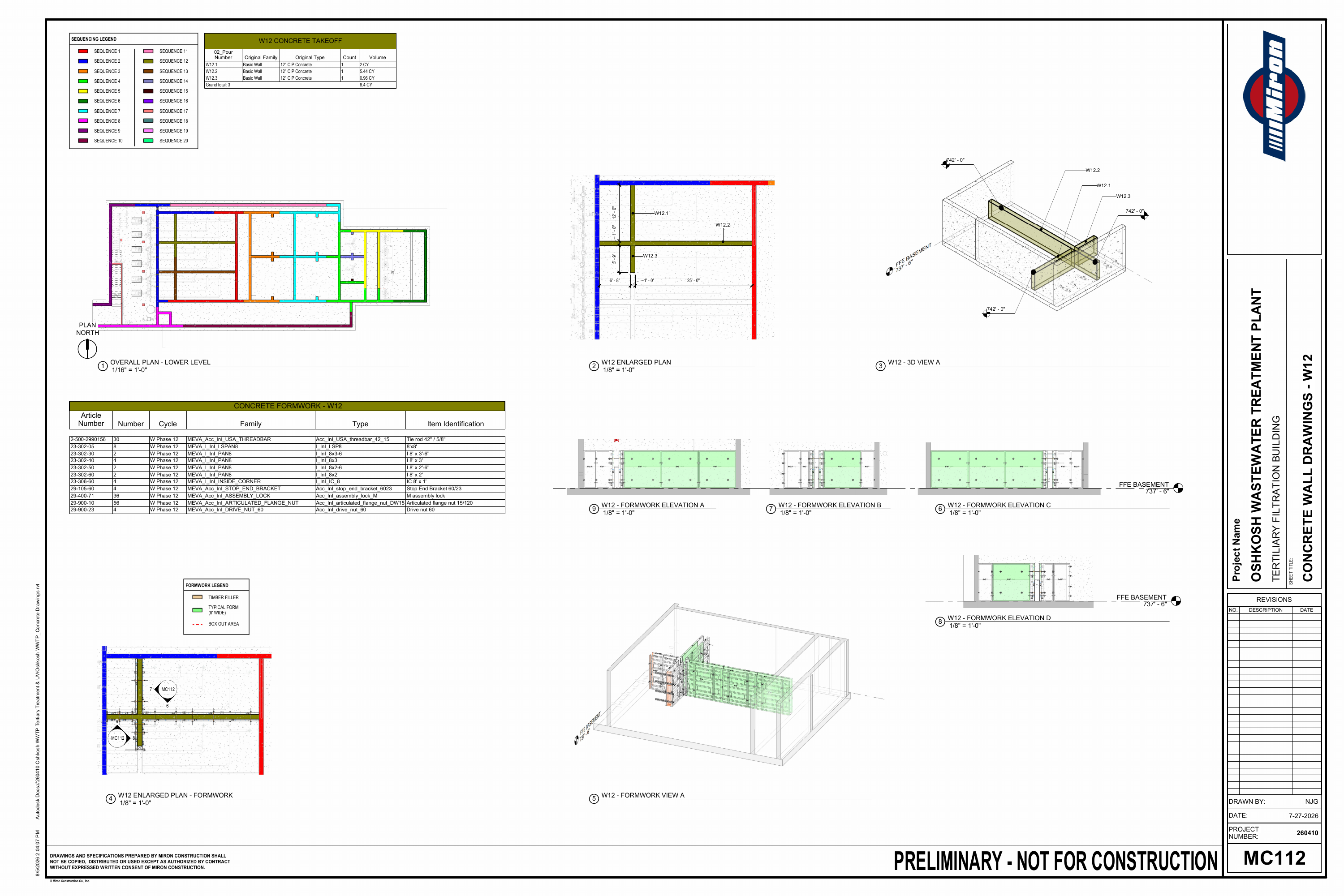
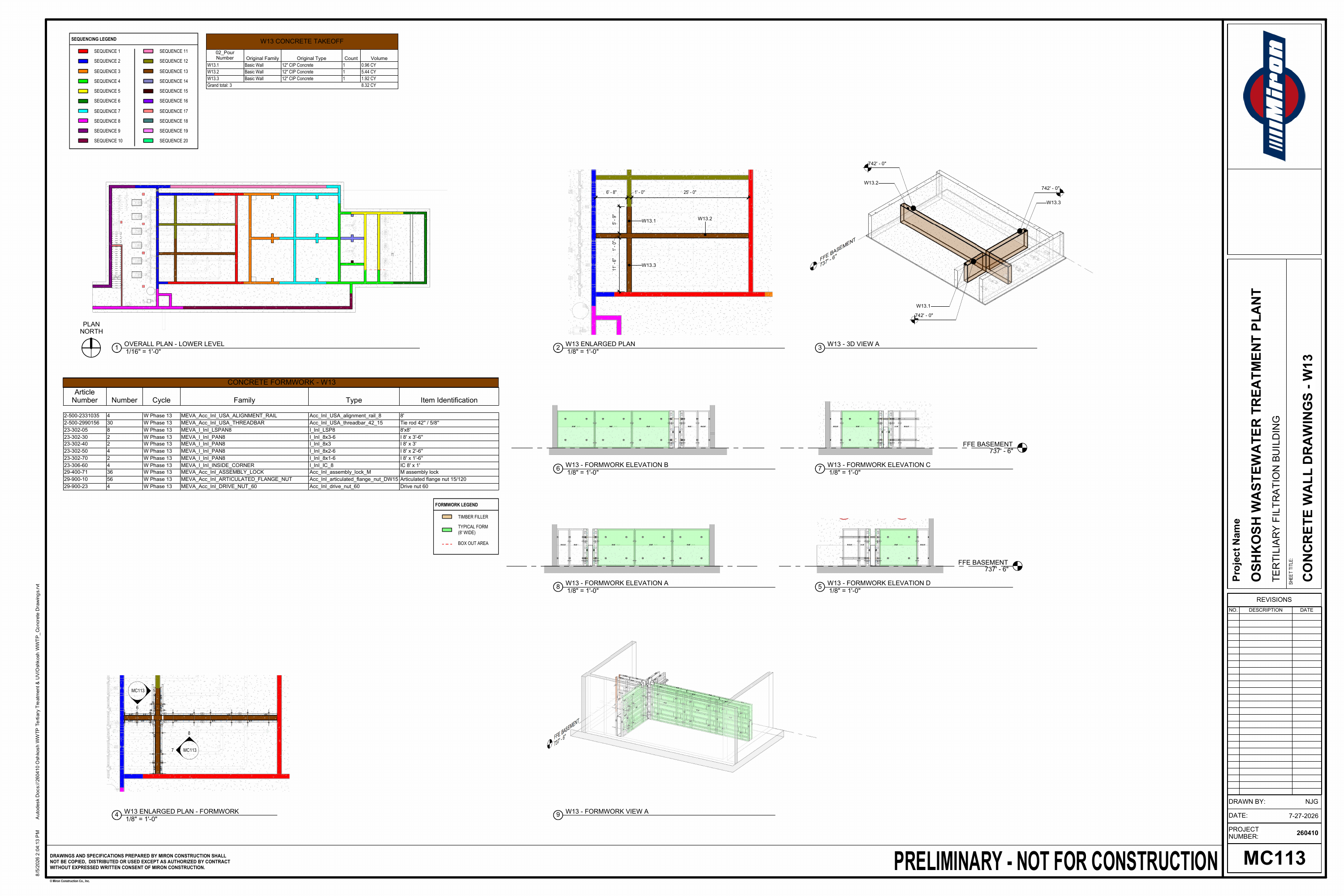
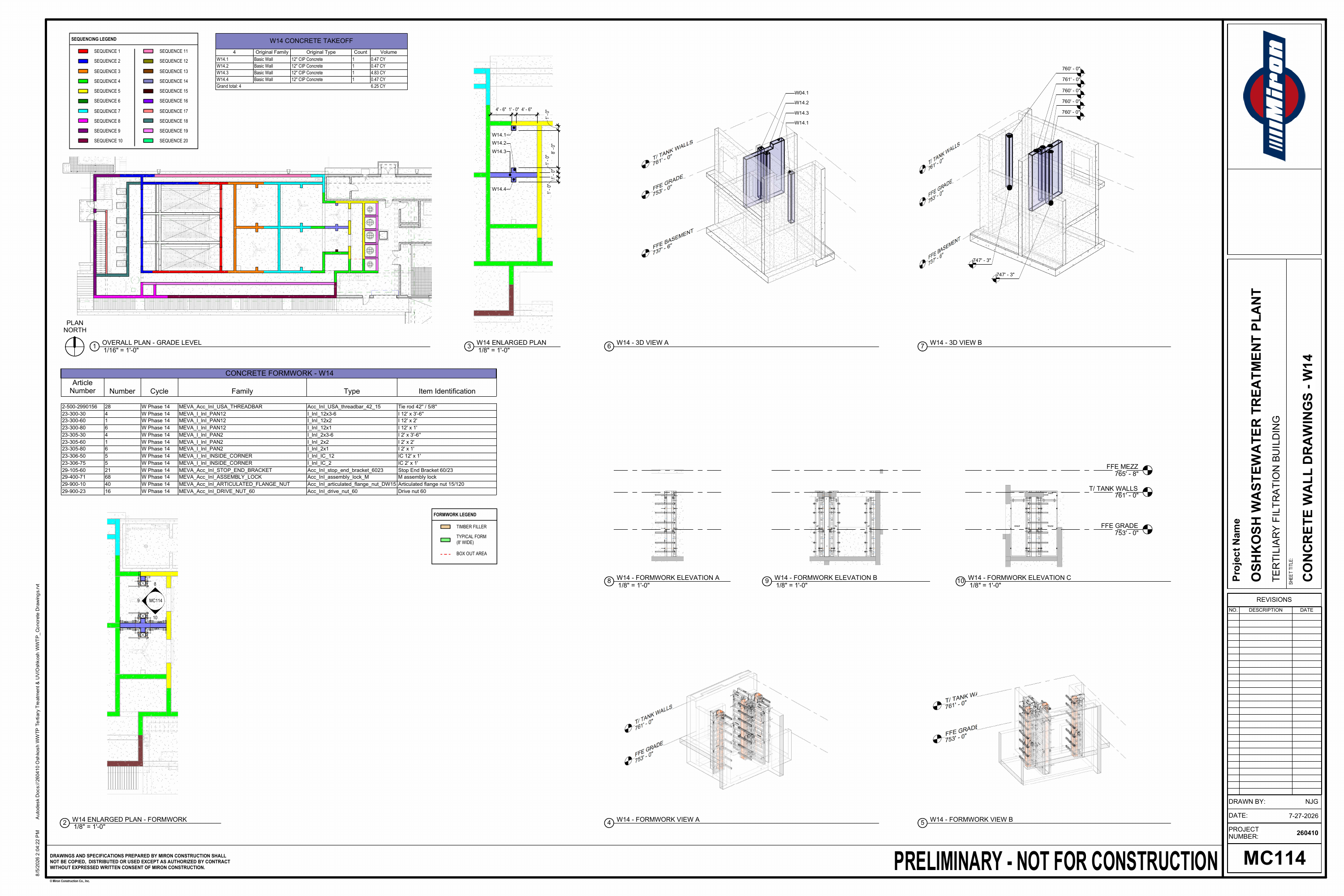
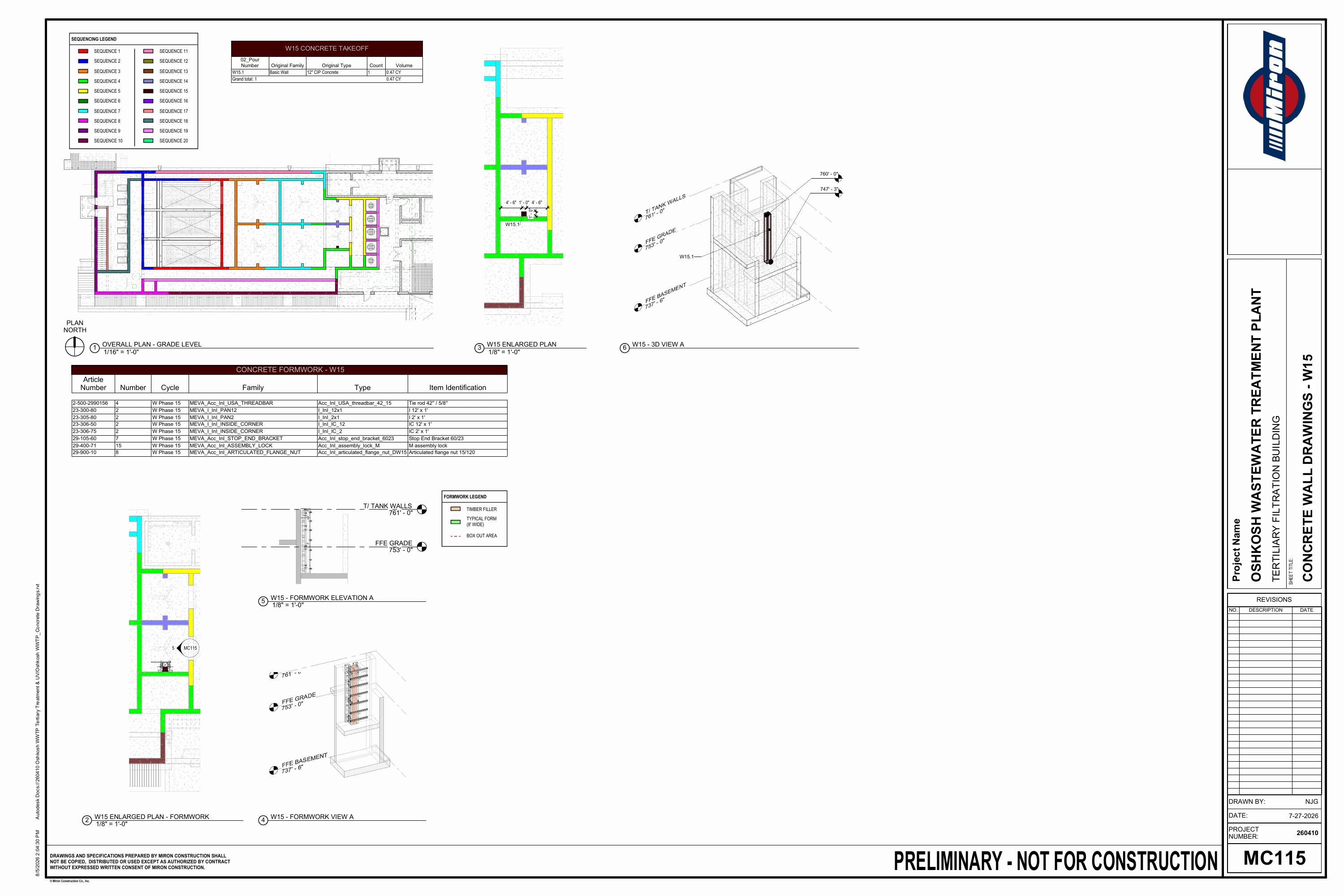
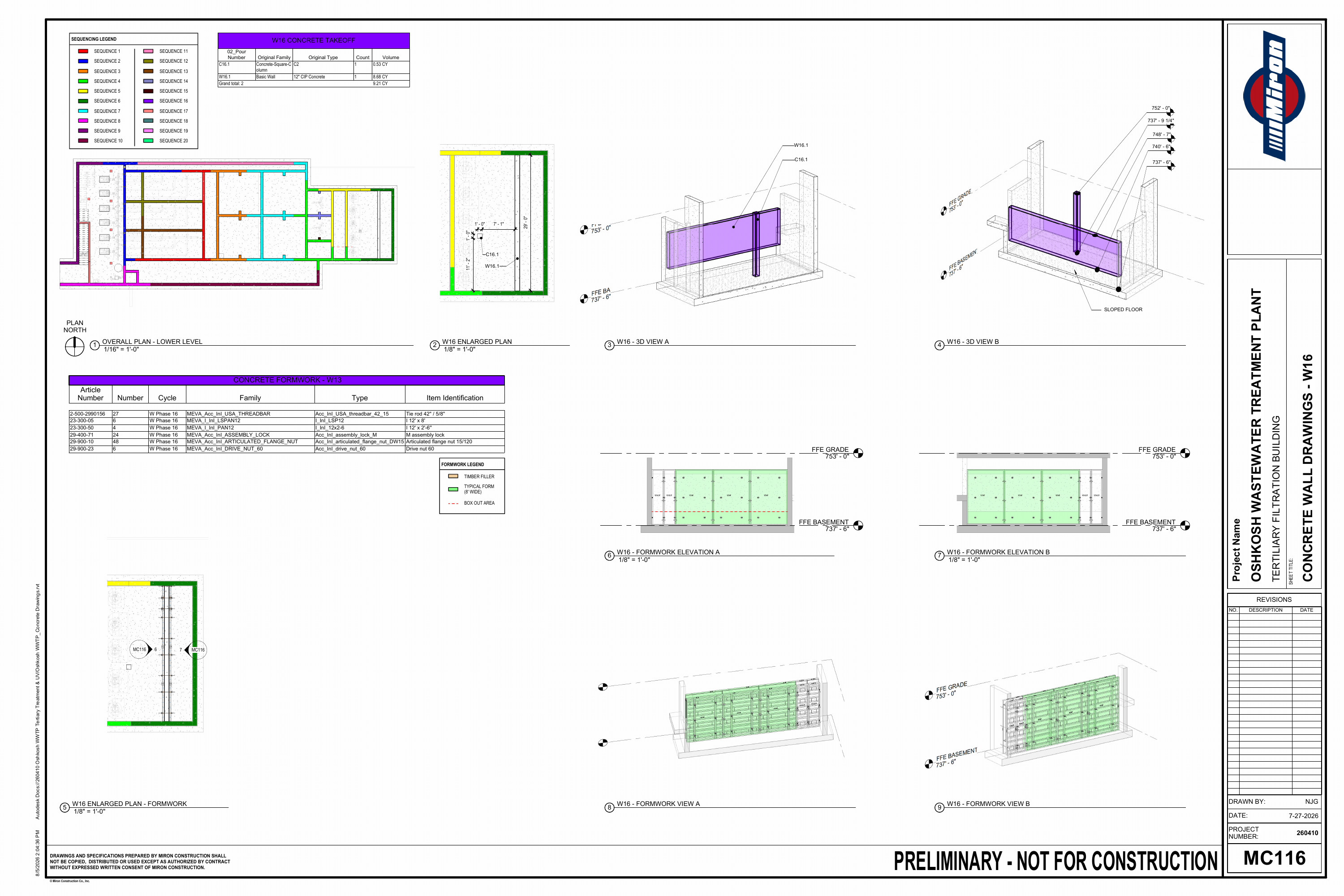
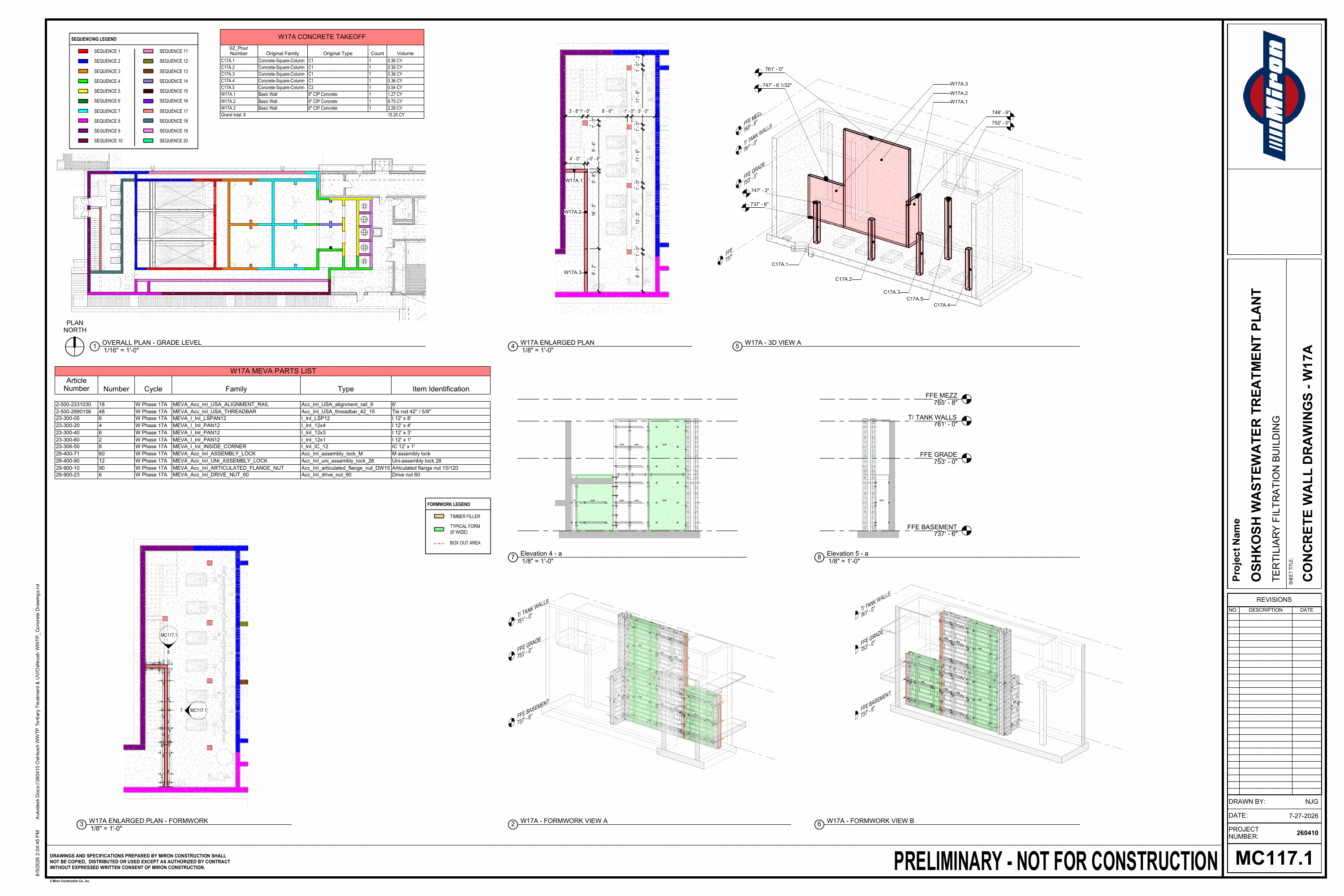
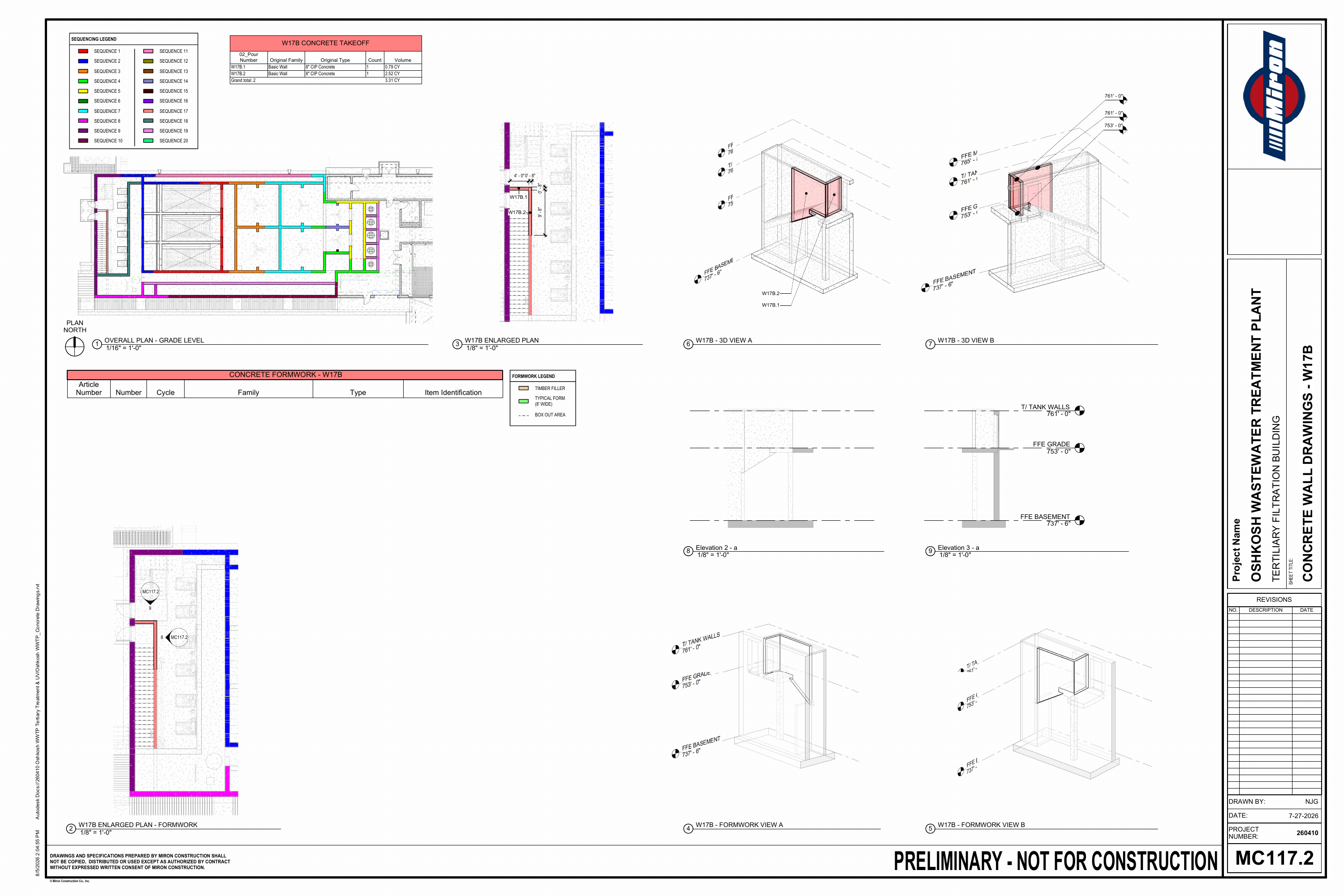
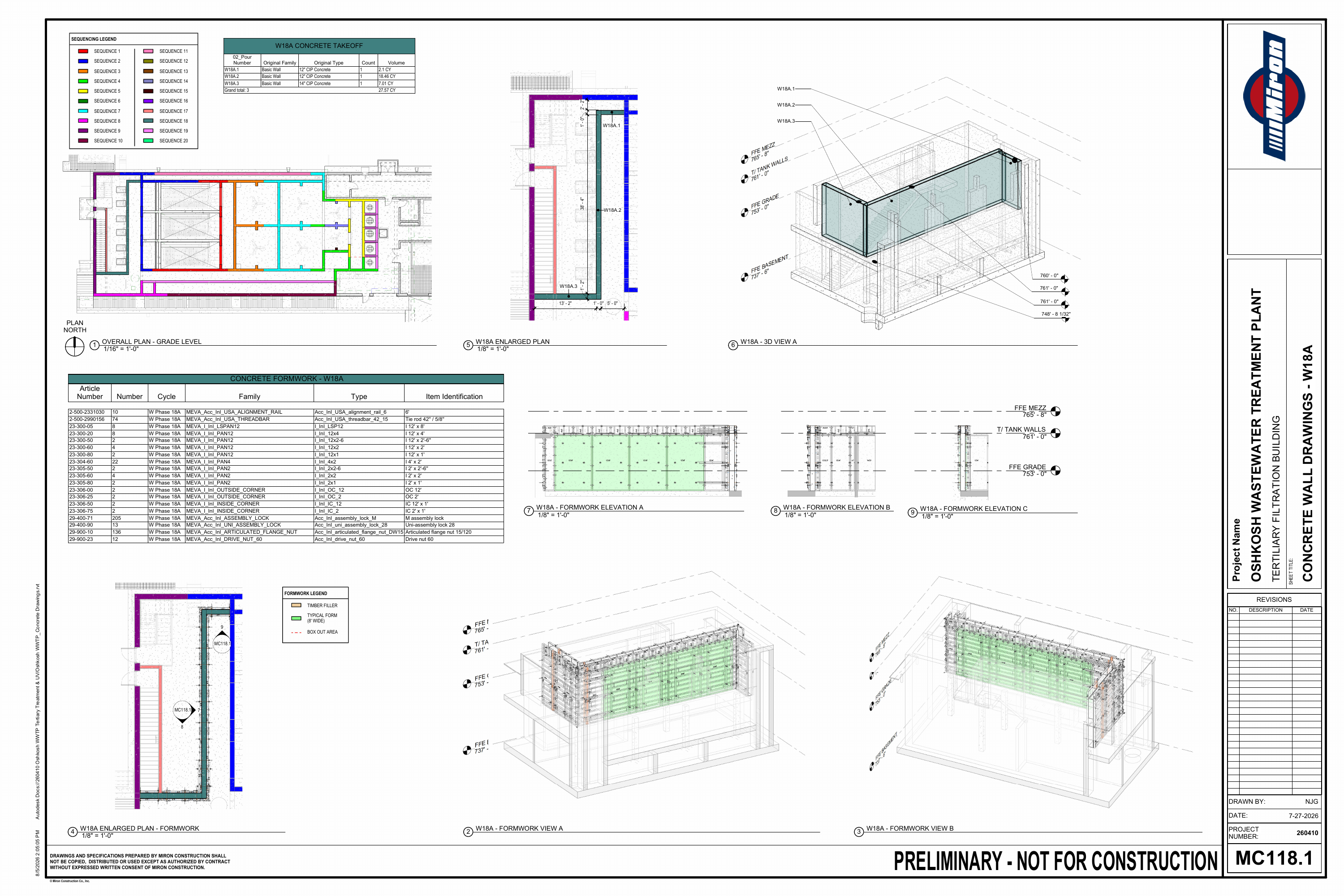
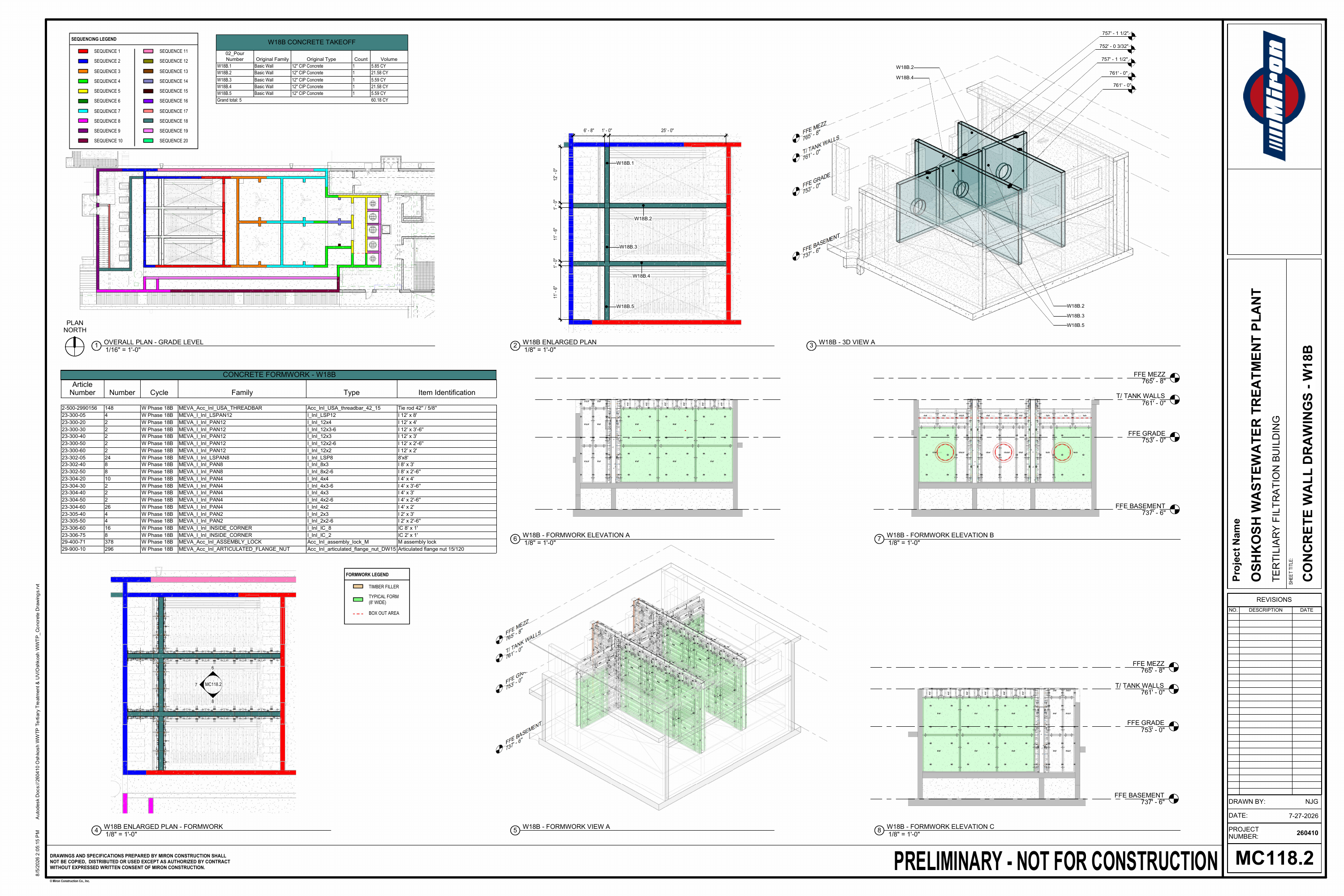
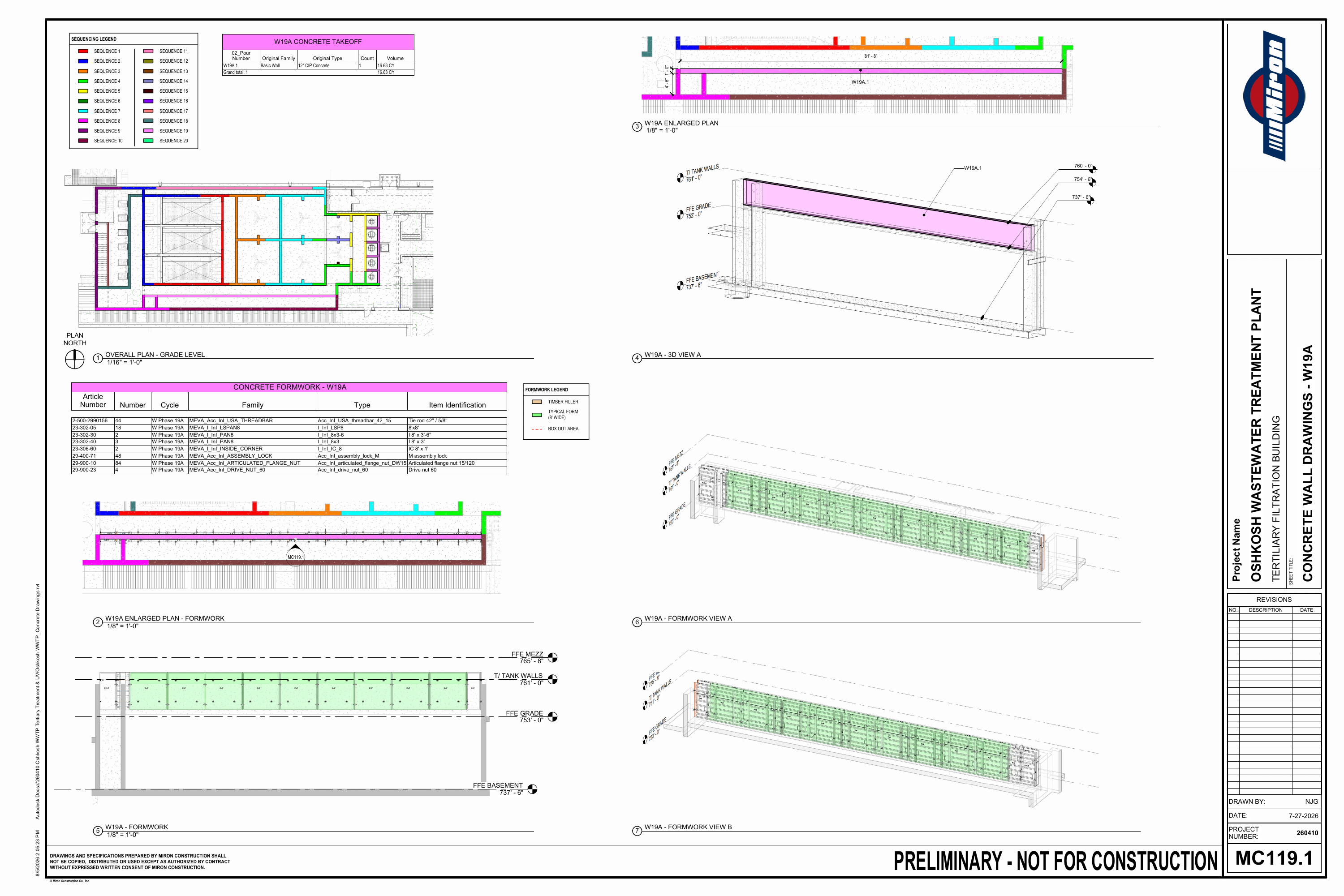
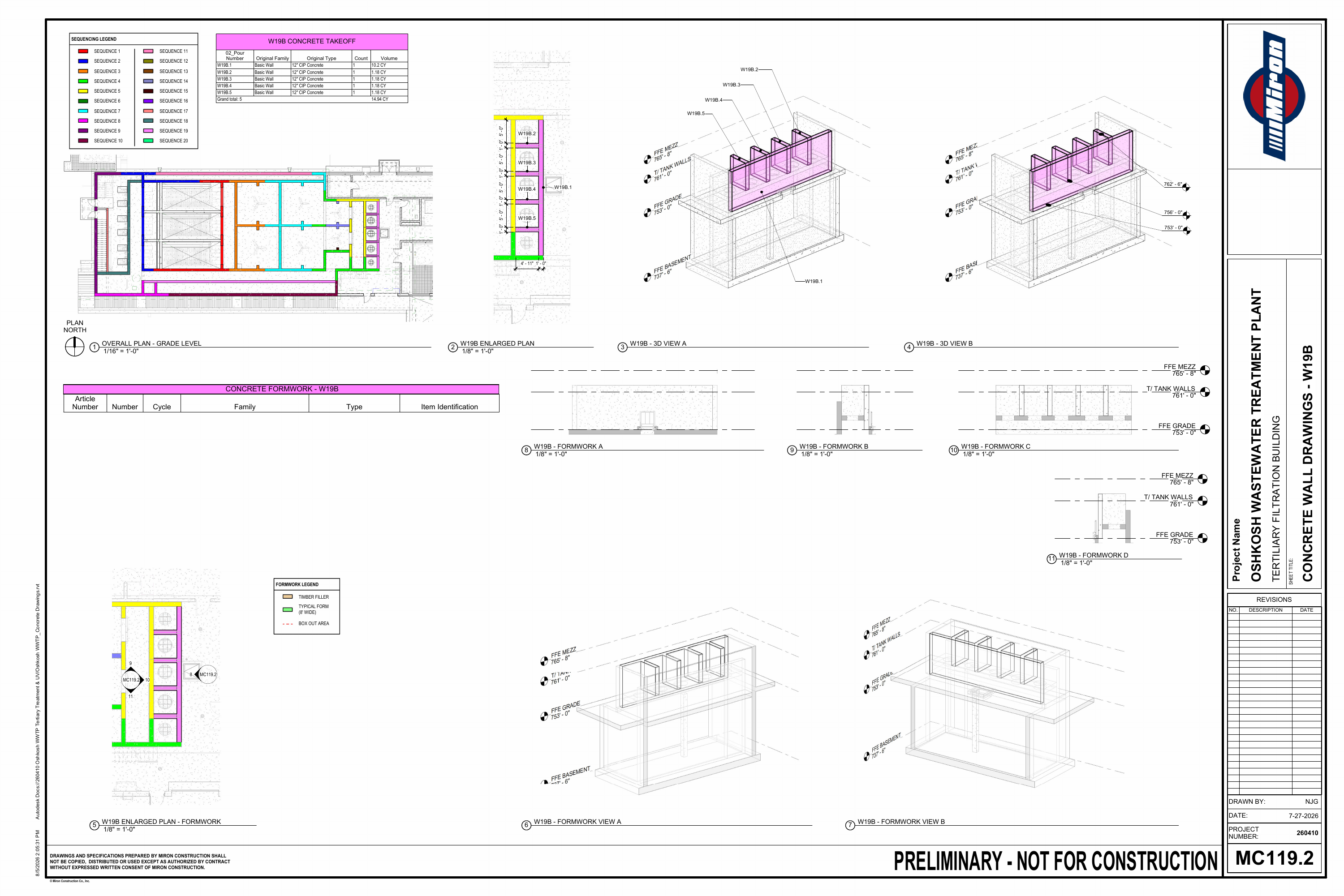
At the Oshkosh Wastewater Treatment Plant, I helped the team visualize a complex concrete pouring sequence using BIM²form, a formwork plug-in for Revit. We connected individual pour phases to plans, 3D views, and schedules. My colleague NJG led this task and is credited as the drawing author on the sheets; the material shown here represents a team effort I supported, not work I completed alone.
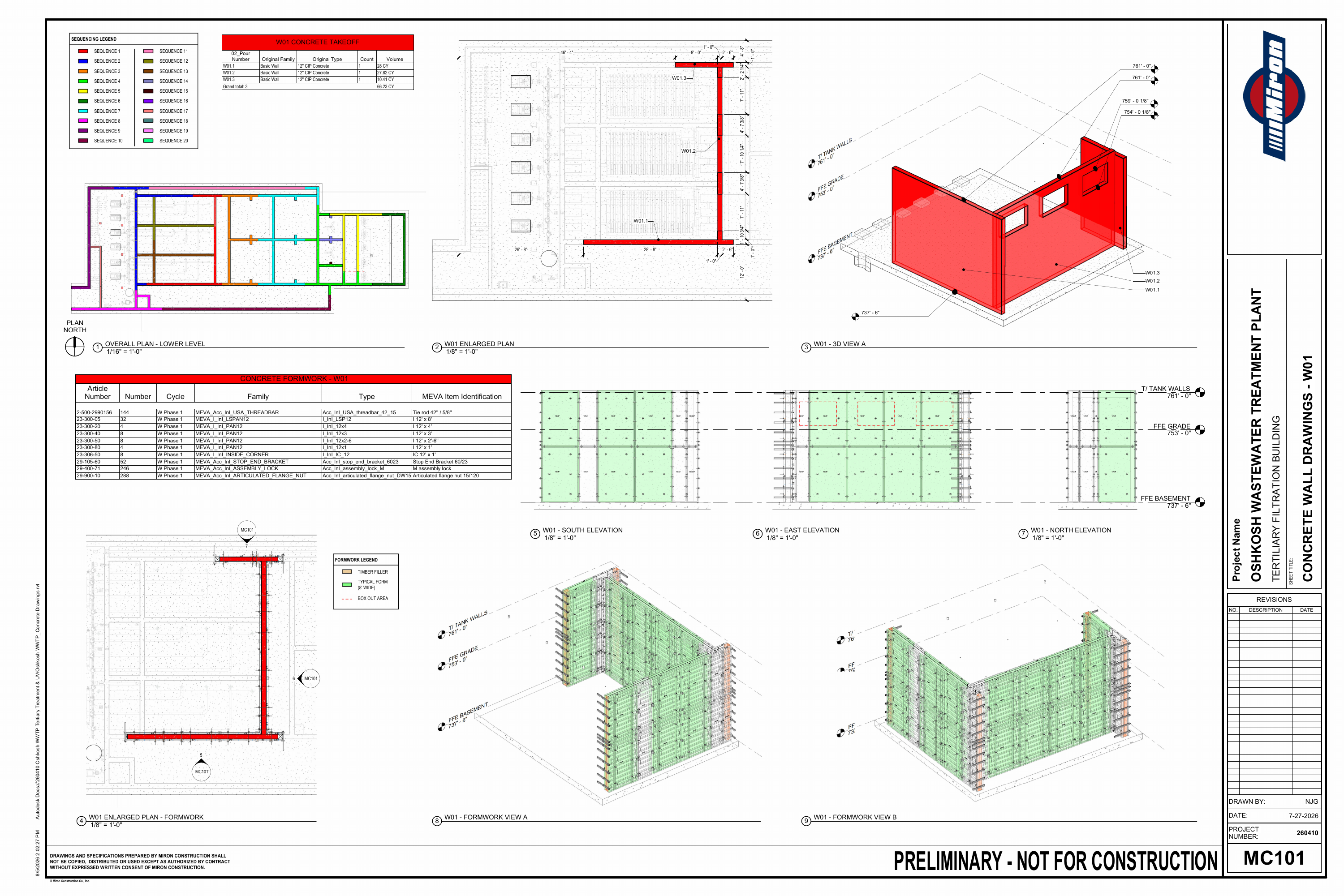
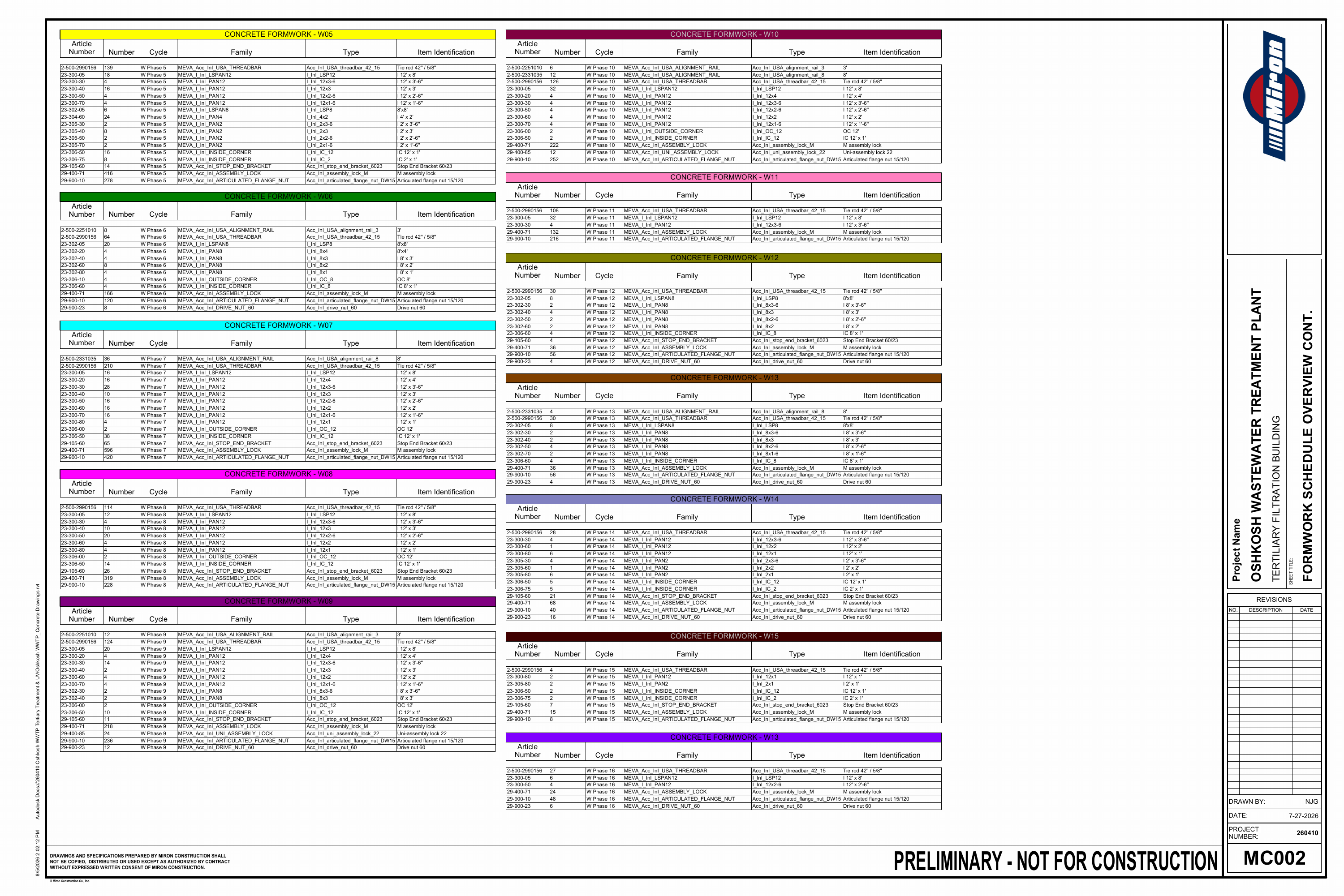
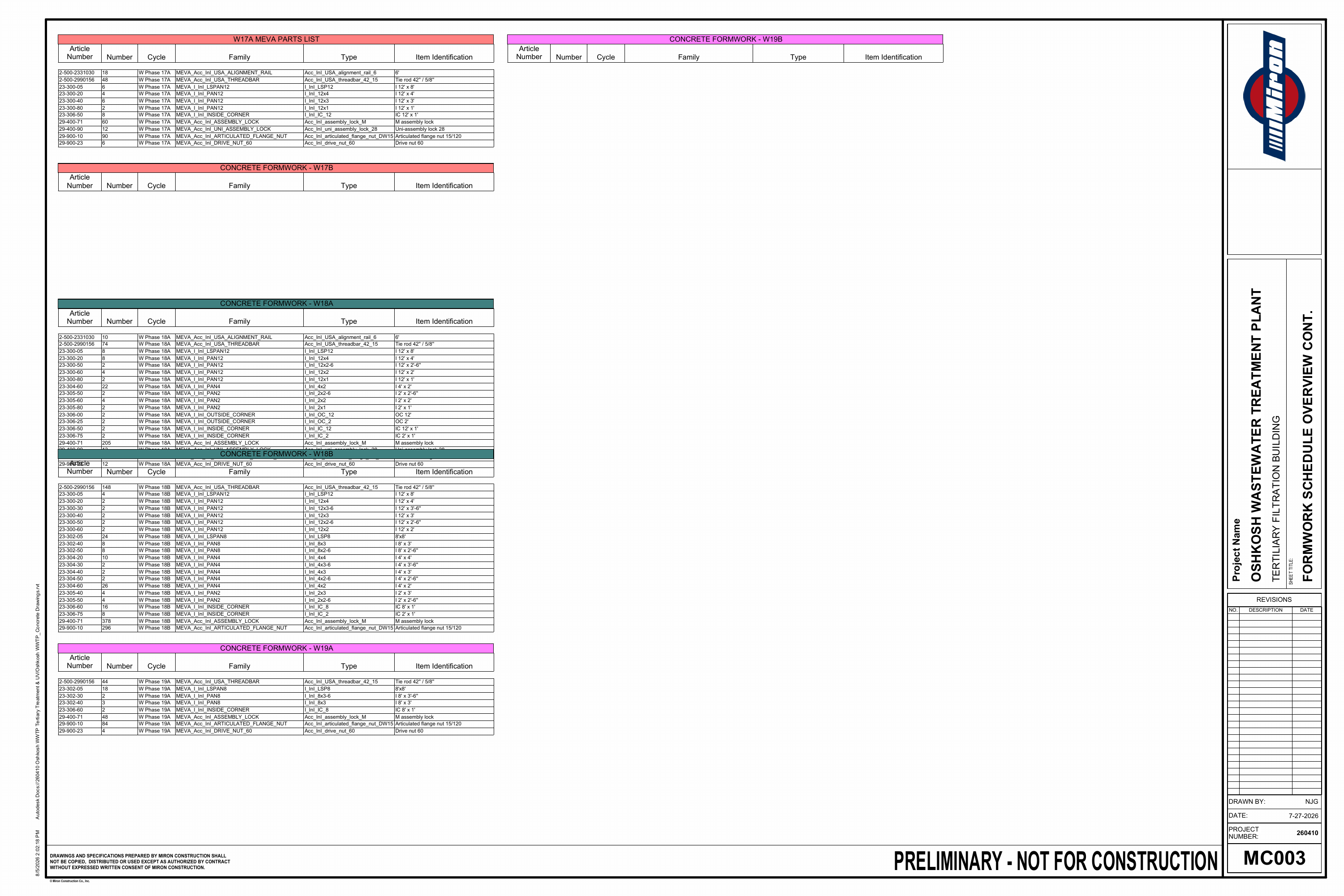
A color-coded sequence locates each pour within the overall building. Phase-specific sheets bring concrete quantities, panel layouts, elevations, and formwork components into one coordinated view.
From Overall Sequence to Formwork Detail
Selected sheets · Select an image to expand
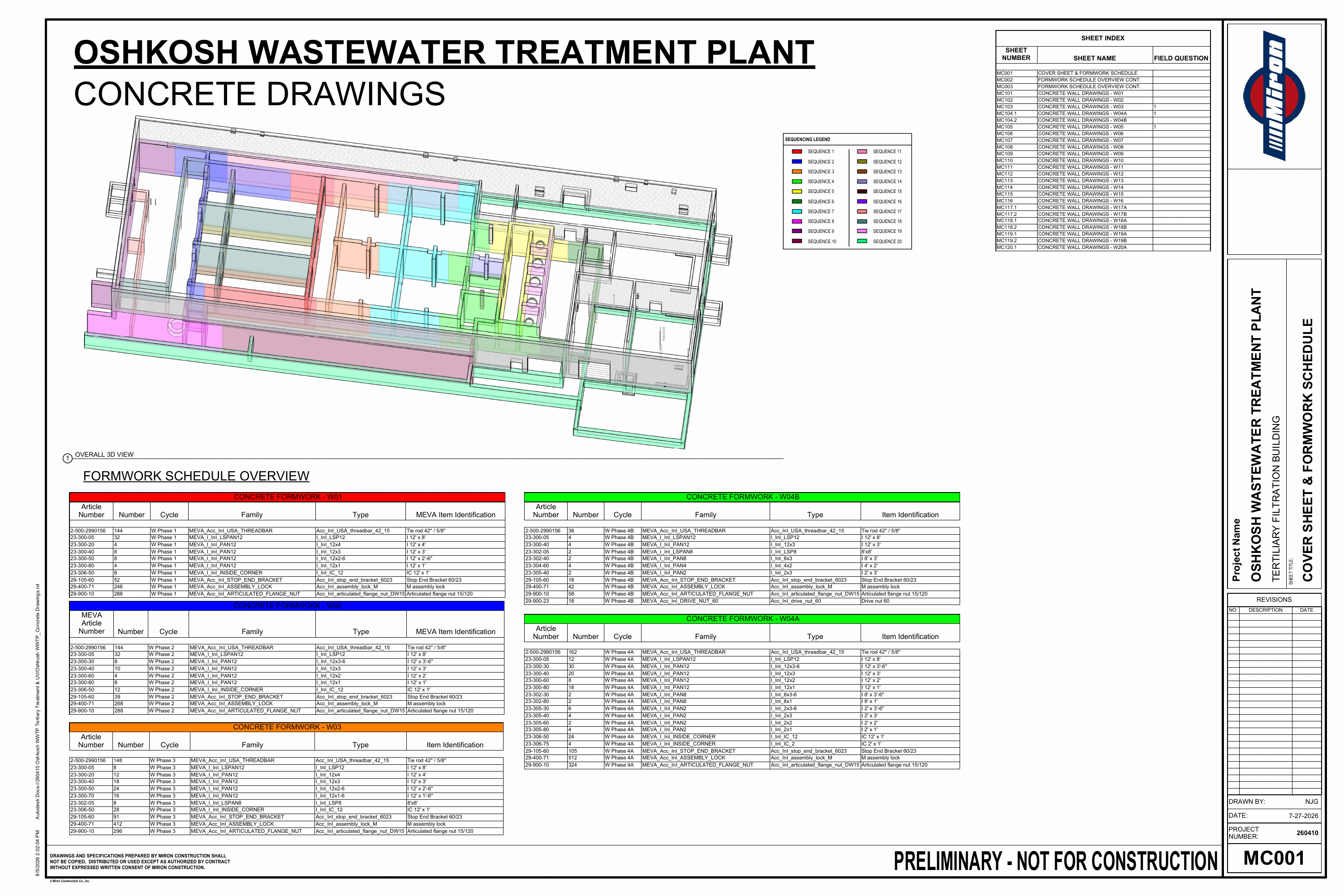 MC001 · Overall sequence & formwork schedulesExpand +Close −
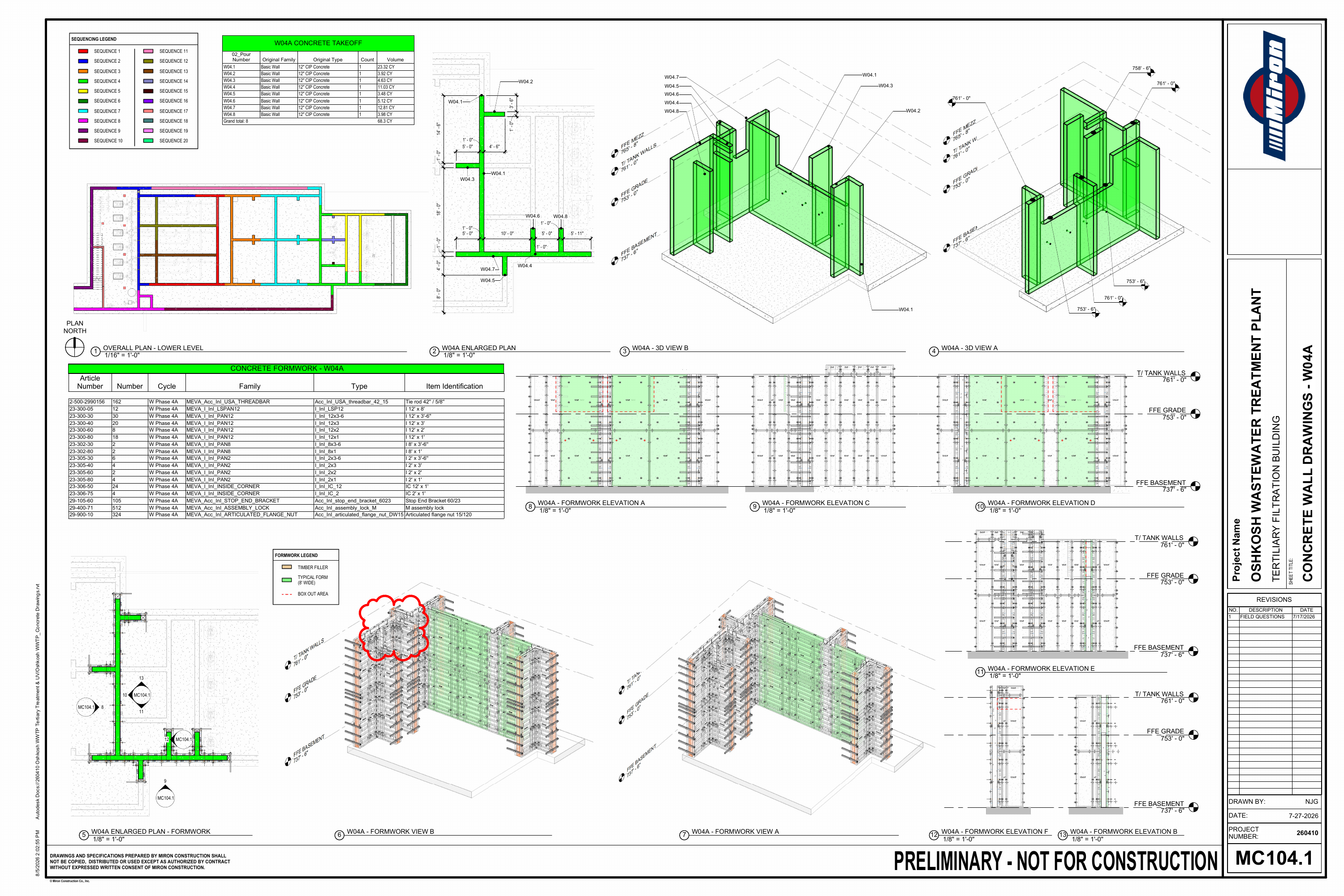 MC104.1 · W04A wall & formwork coordinationExpand +Close −
Miron Construction · Preliminary — Not for Construction. Shown as evidence of my contribution to the team’s planning and coordination work, not as a final construction instruction.
View Complete Sheet SetHide Complete Sheet Set26 Sheets · Preliminary · Not for Construction
For demonstration purposes only. Do not copy, reproduce, or use these drawings. Not for construction.
04 · Featured work · Twinmotion
Existing conditions.
A clearer view.
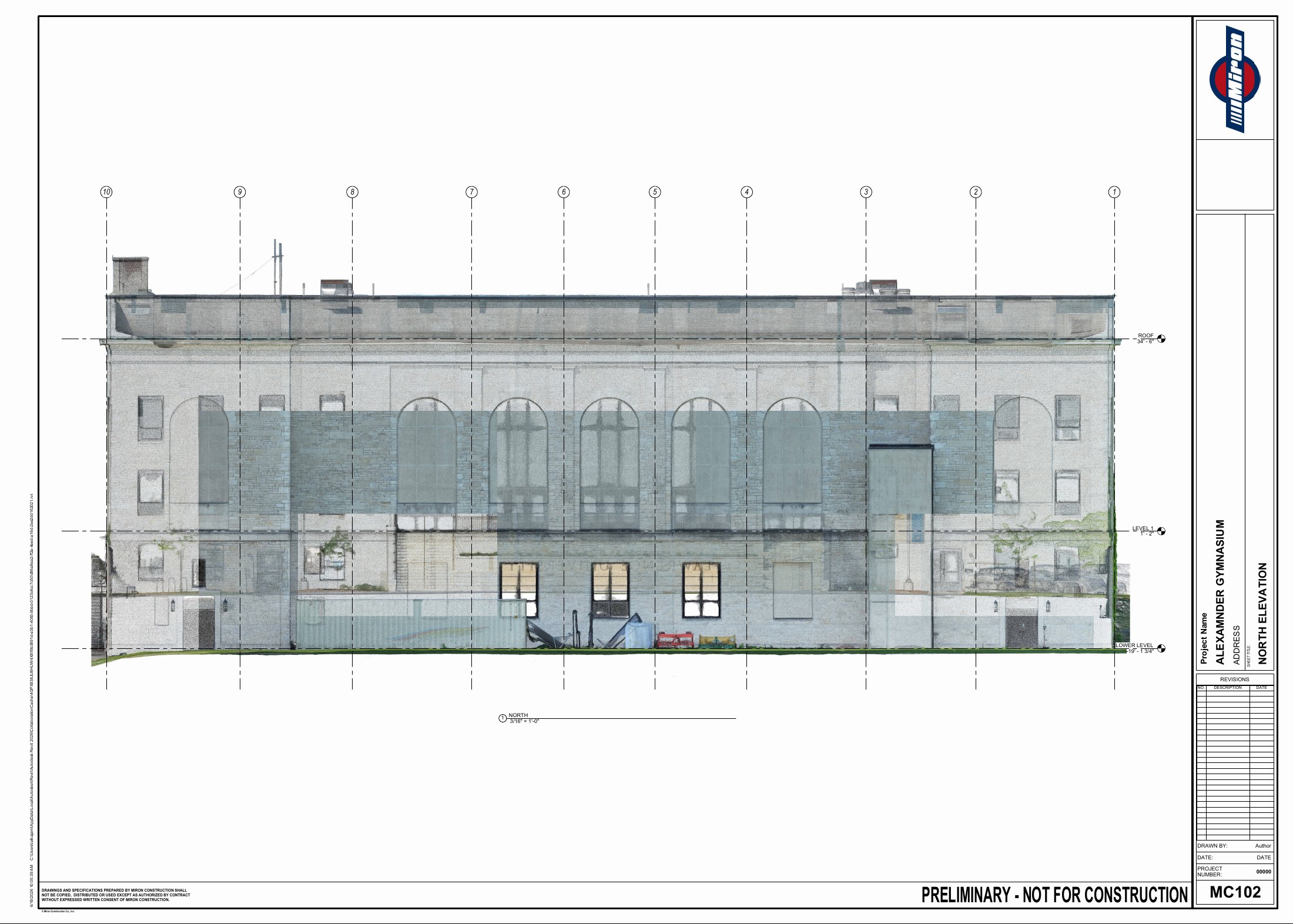
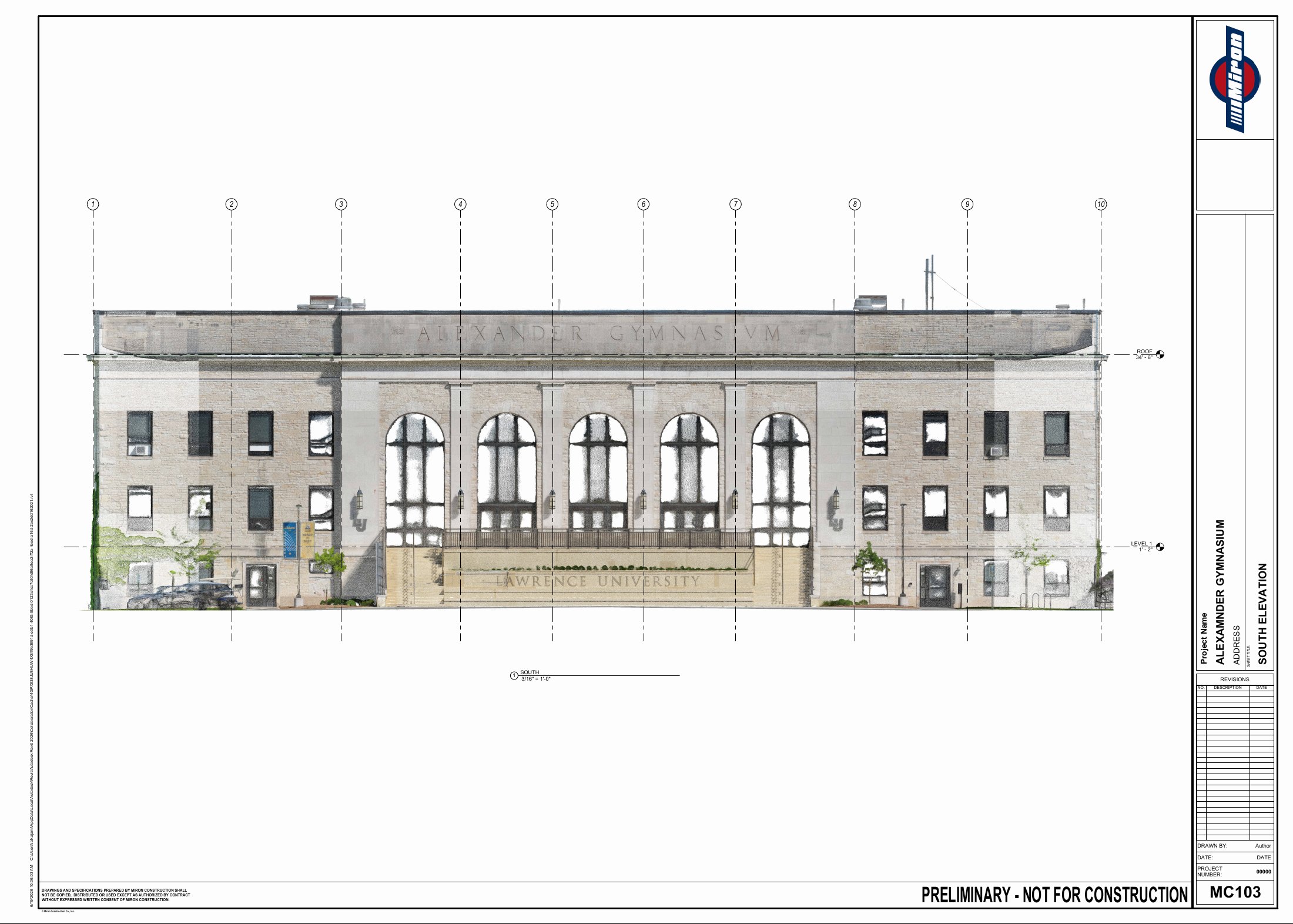
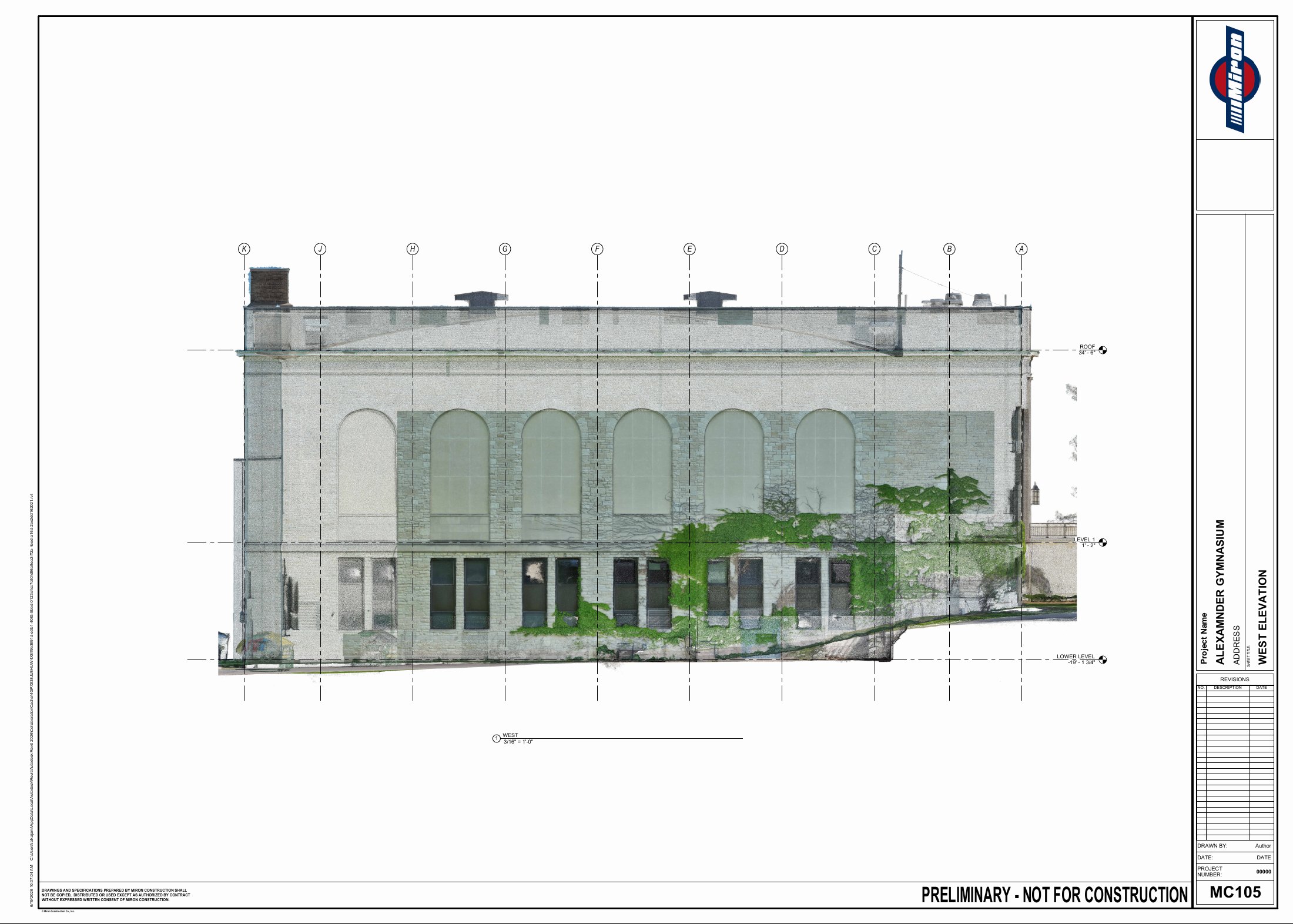
The main reason for scanning Alexander Gymnasium was to support façade repair coordination for Miron’s self-perform masonry team. Alongside that documentation work, I explored bringing the captured conditions from ReCap into Twinmotion. The visualization below is a native Twinmotion render, with no generative AI used.
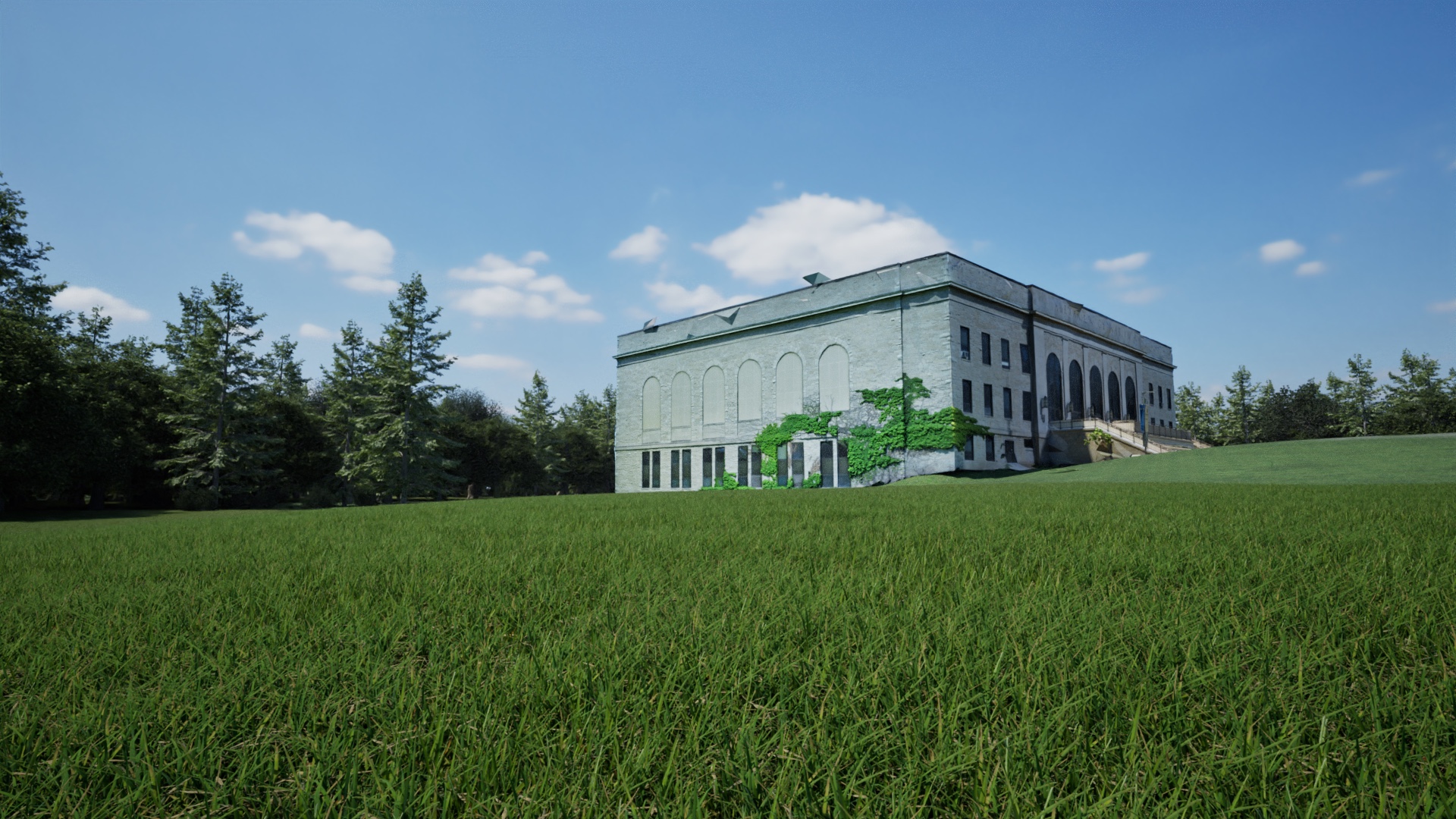
From Information to Image
Supporting studies · Select an image to expand
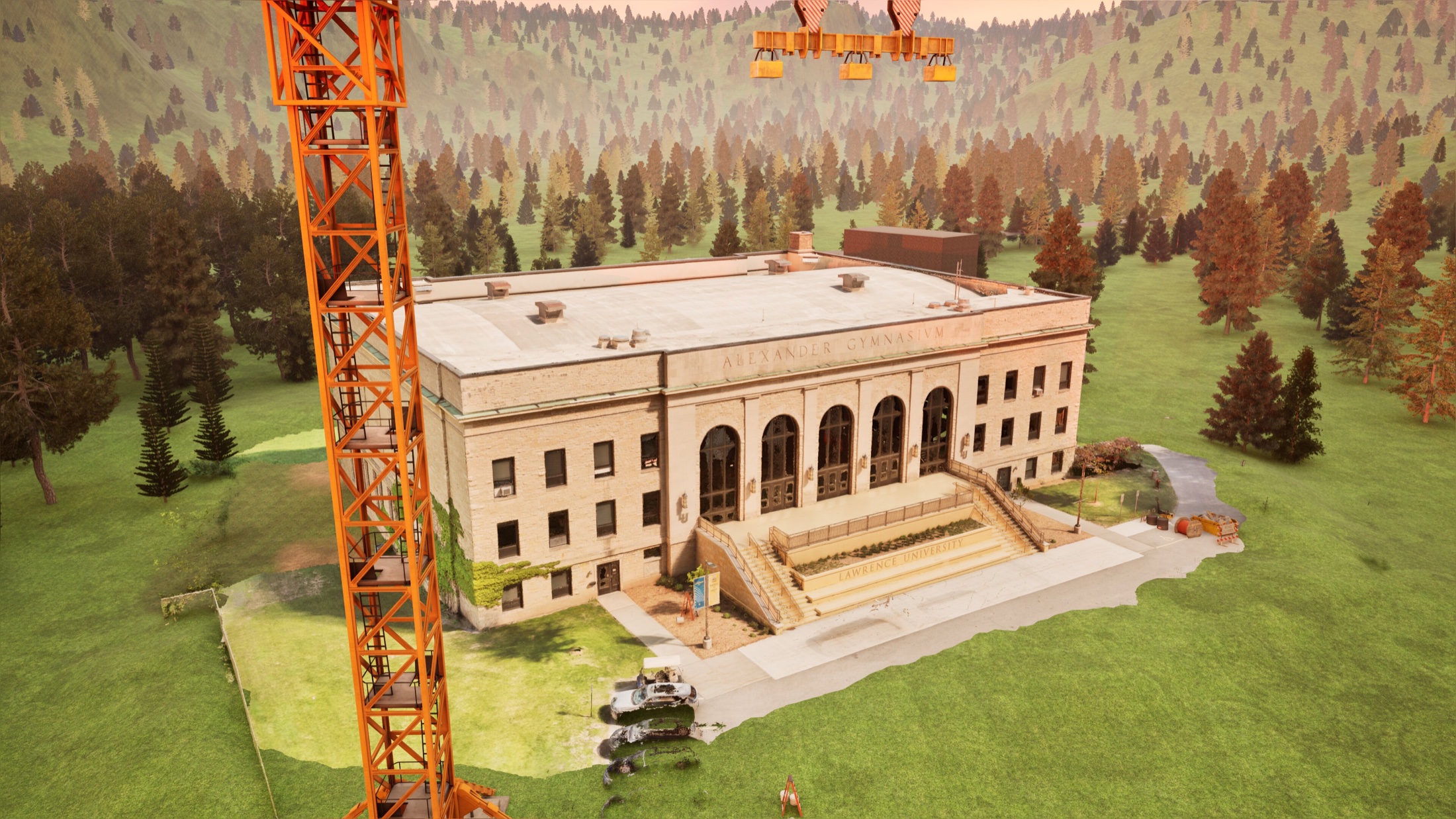 Alternate visualization · Equipment & site contextNative Twinmotion render · No generative AIExpand +Close −
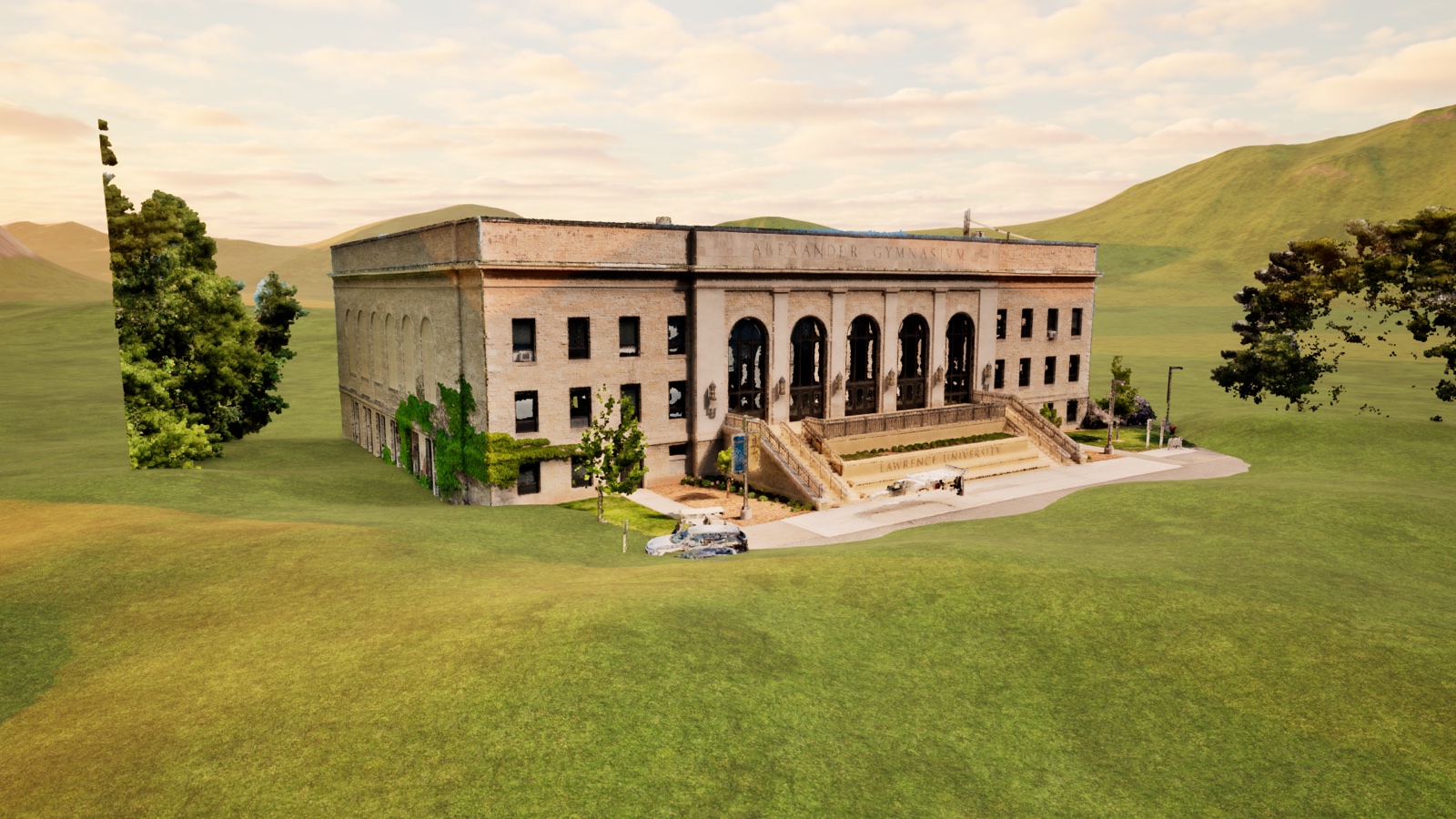 ReCap → Twinmotion · Point-cloud studyNative Twinmotion render · No generative AIExpand +Close −
From Scan to Façade Repair Coordination
Revit elevations → Autodesk Forma
We used the elevation sheets to create a grid in Autodesk Forma, linking each grid block to an enlarged view of that façade segment. This gave the self-perform masonry team a shared way to locate and coordinate repairs. The four elevations below show the documentation behind that workflow.
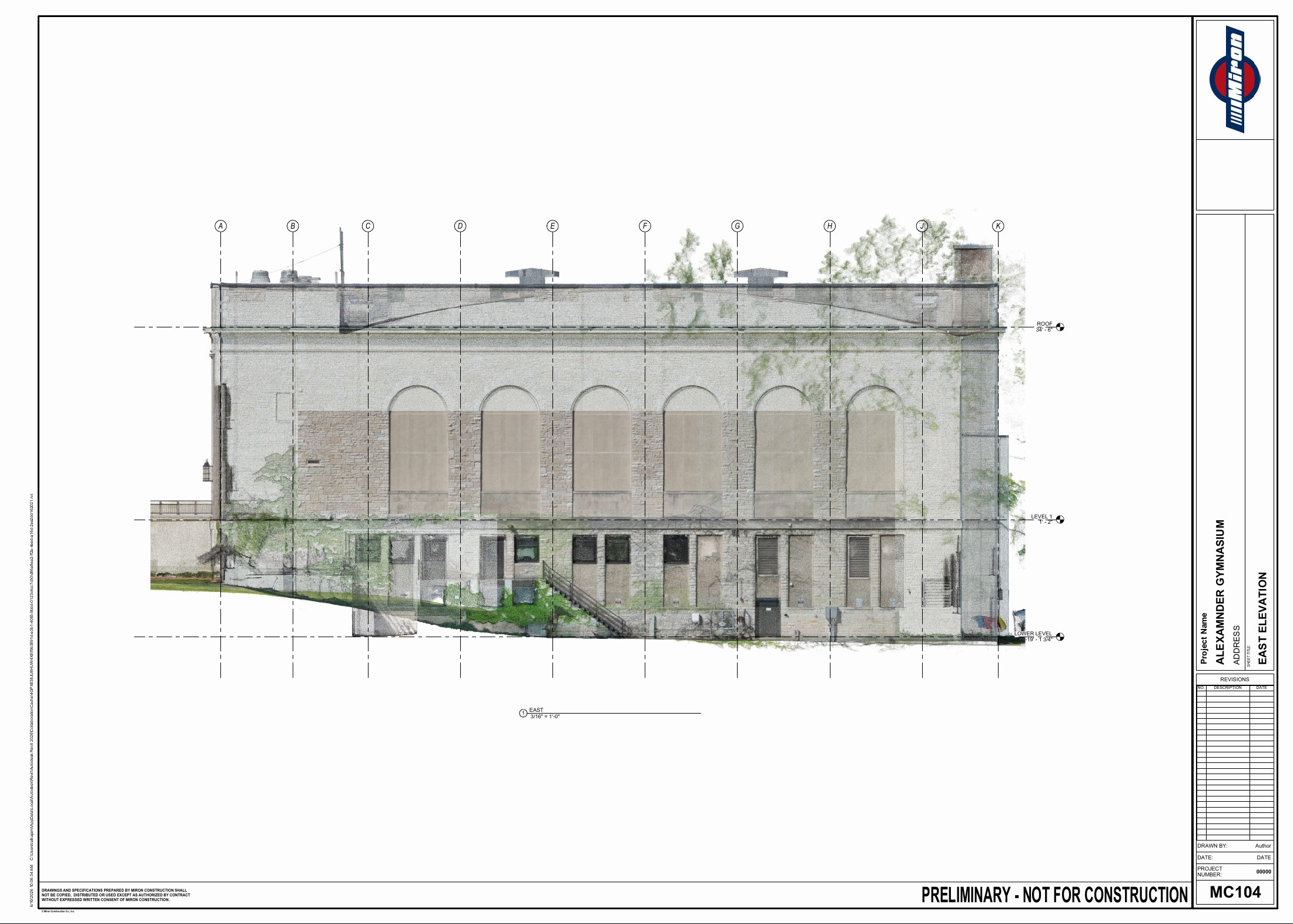 East elevation · Façade coordination gridExpand +Close −
 North elevation · Façade coordination gridExpand +Close −
 South elevation · Façade coordination gridExpand +Close −
 West elevation · Façade coordination gridExpand +Close −
Preliminary · Not for construction. Portfolio demonstration only.
05 · Supporting work · CMBuildeR
Planning
the working site.
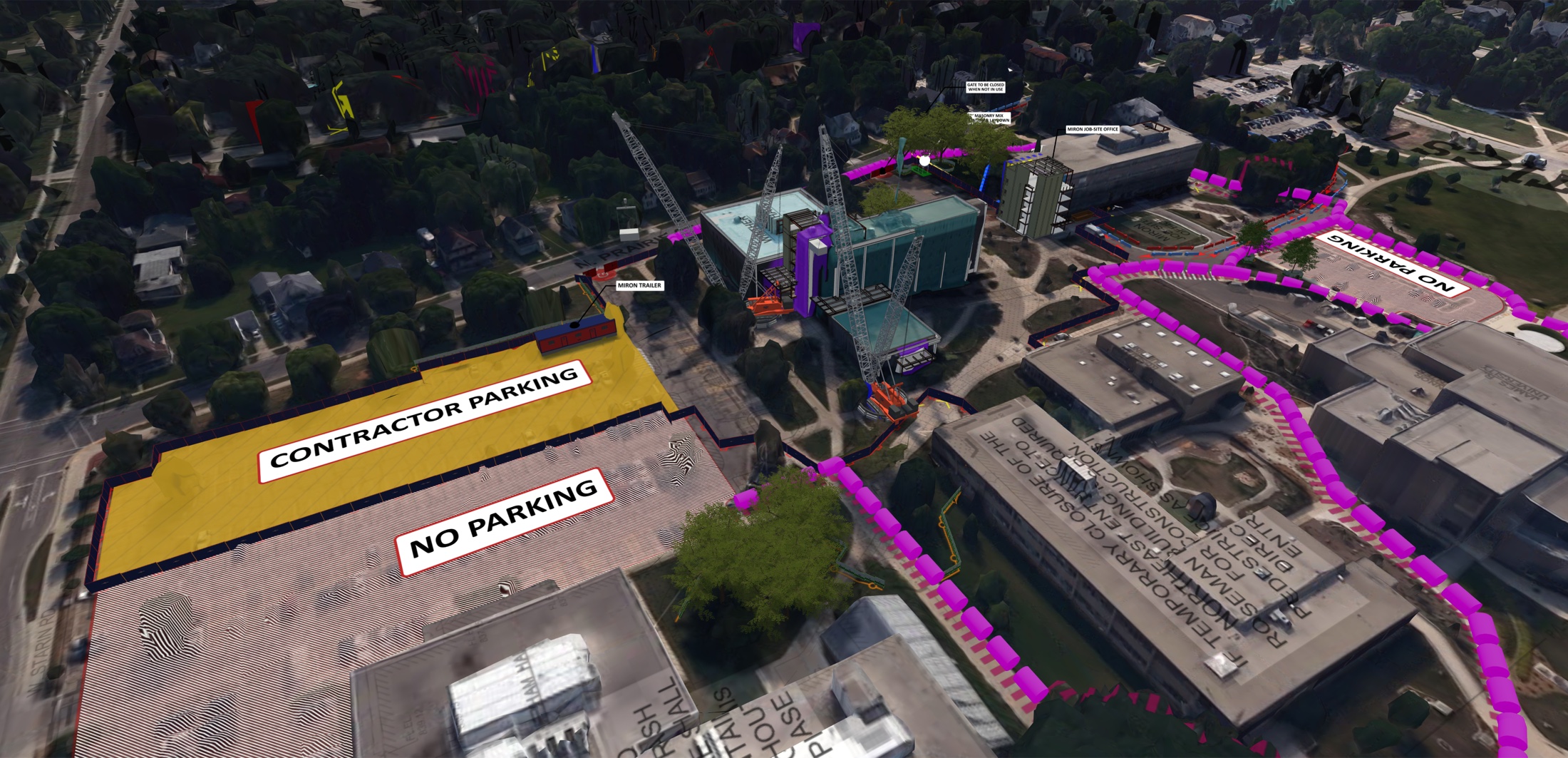
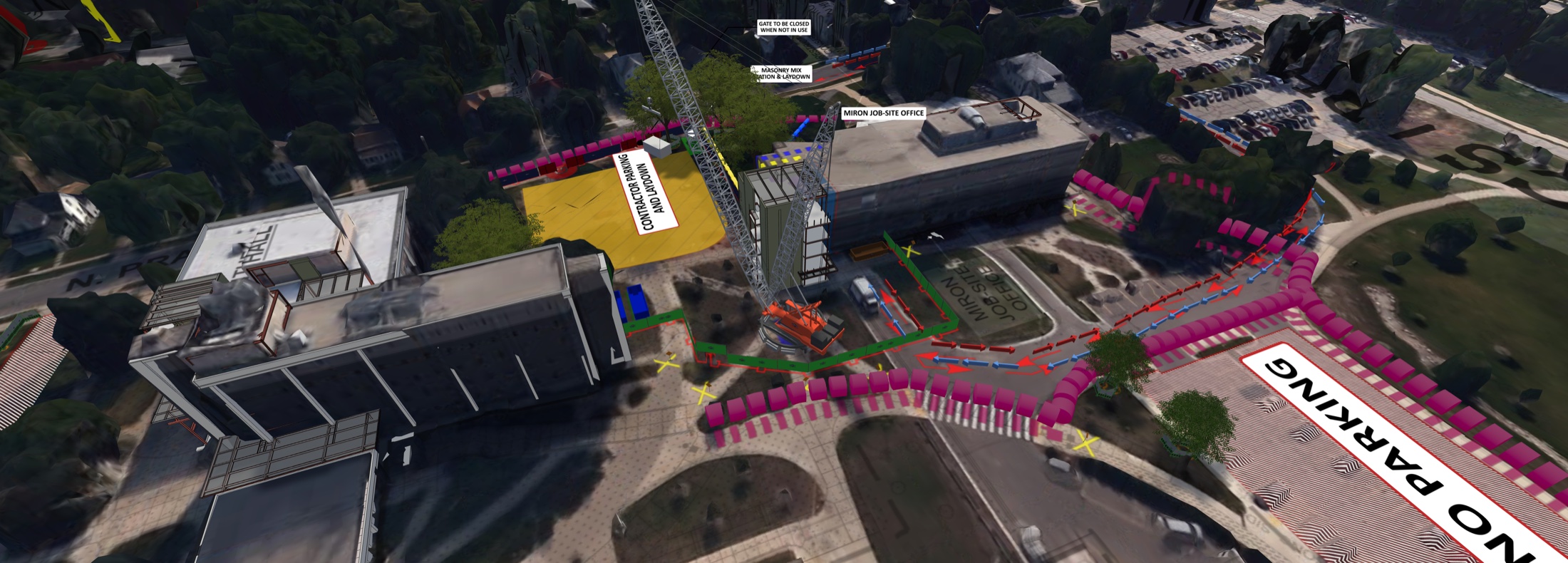
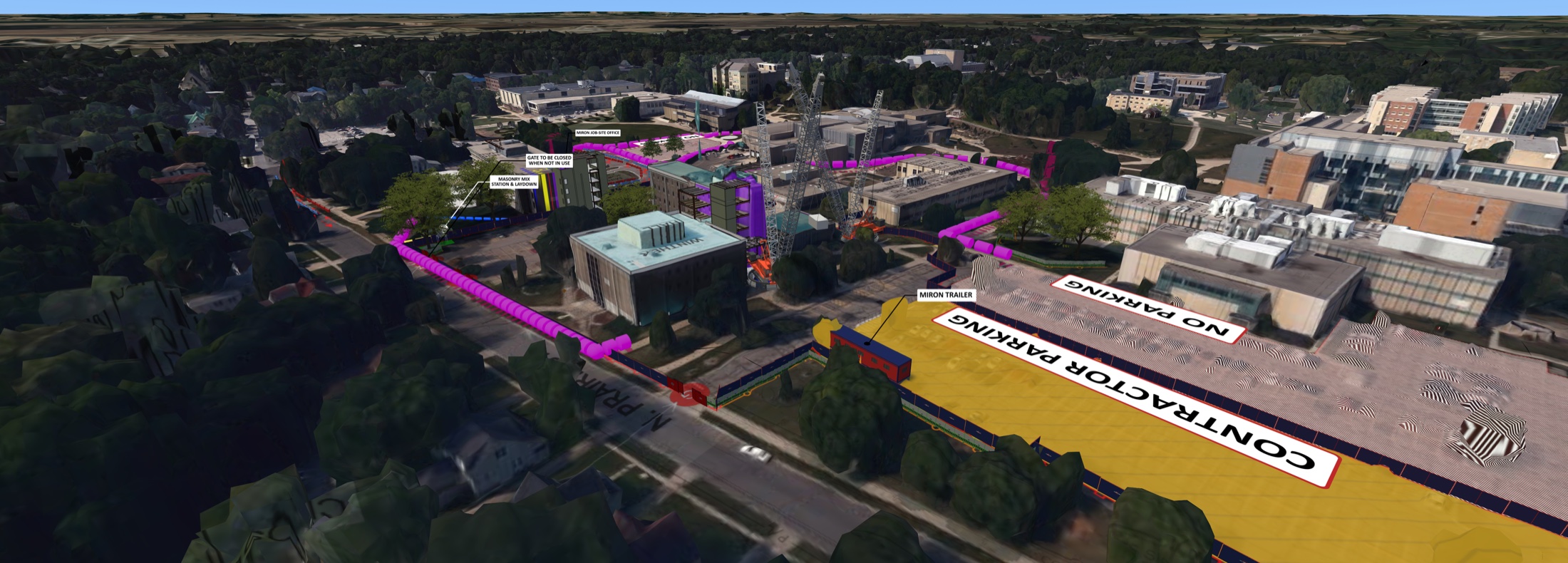
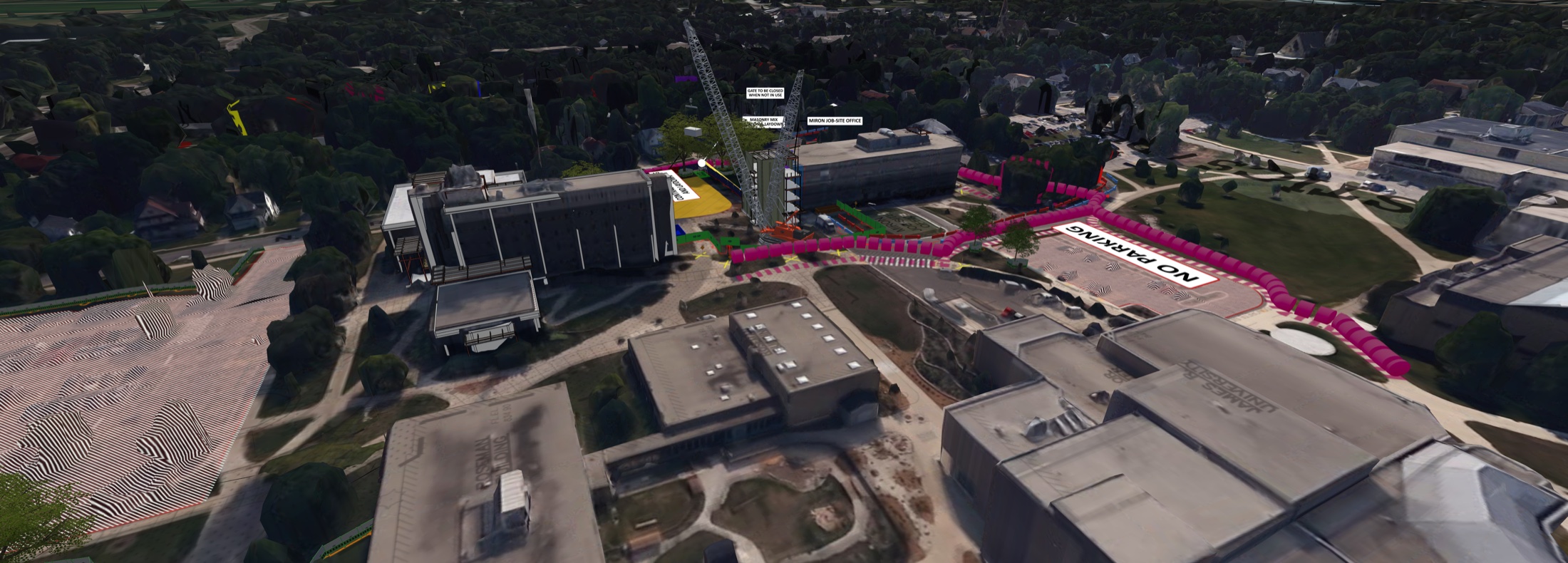
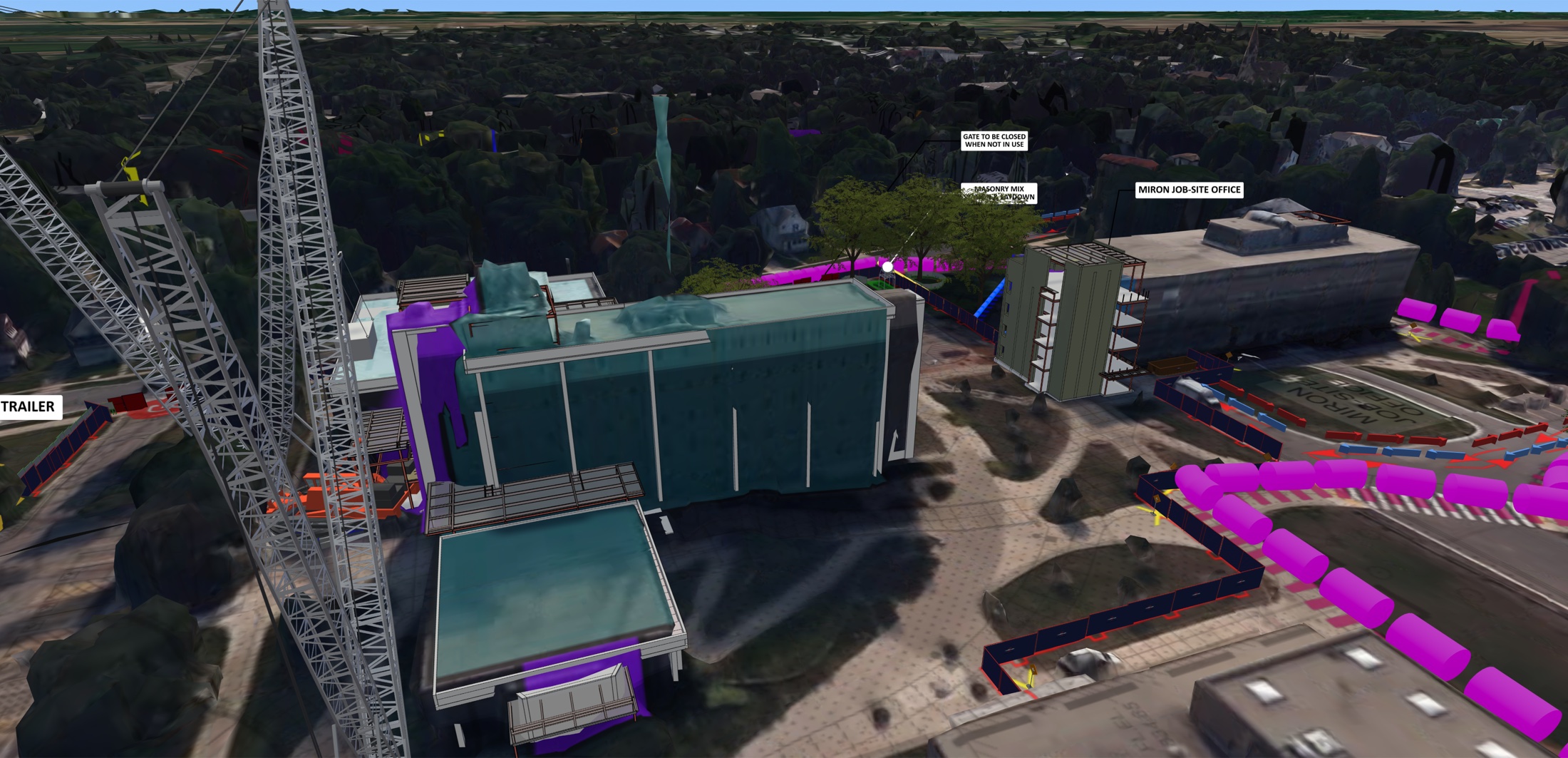
I developed Phase 1 and Phase 2 logistics plans and 3D CMBuildeR models for UW–Whitewater. These views show site organization, equipment, parking, laydown areas, and routes in context.
UW–Whitewater · Winther & Heide Hall · Select a view to expand
 01 · Site overview & equipmentExpand +Close −
 02 · Access, parking & laydownExpand +Close −
 03 · Work zones in campus contextExpand +Close −
 04 · Circulation & site boundariesExpand +Close −
 05 · Building interfaces & crane placementExpand +Close −
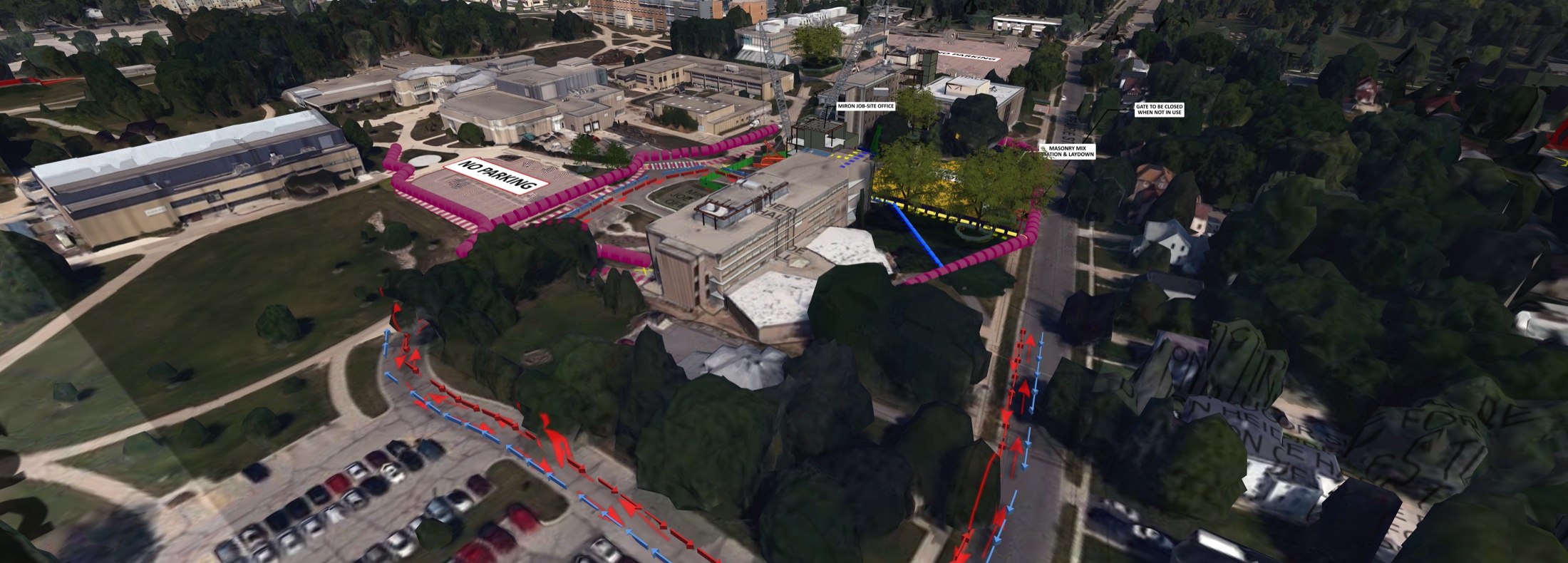 06 · Approach routes & site accessExpand +Close −
AI-Enhanced Presentation Studies
Based on the CMBuilder model
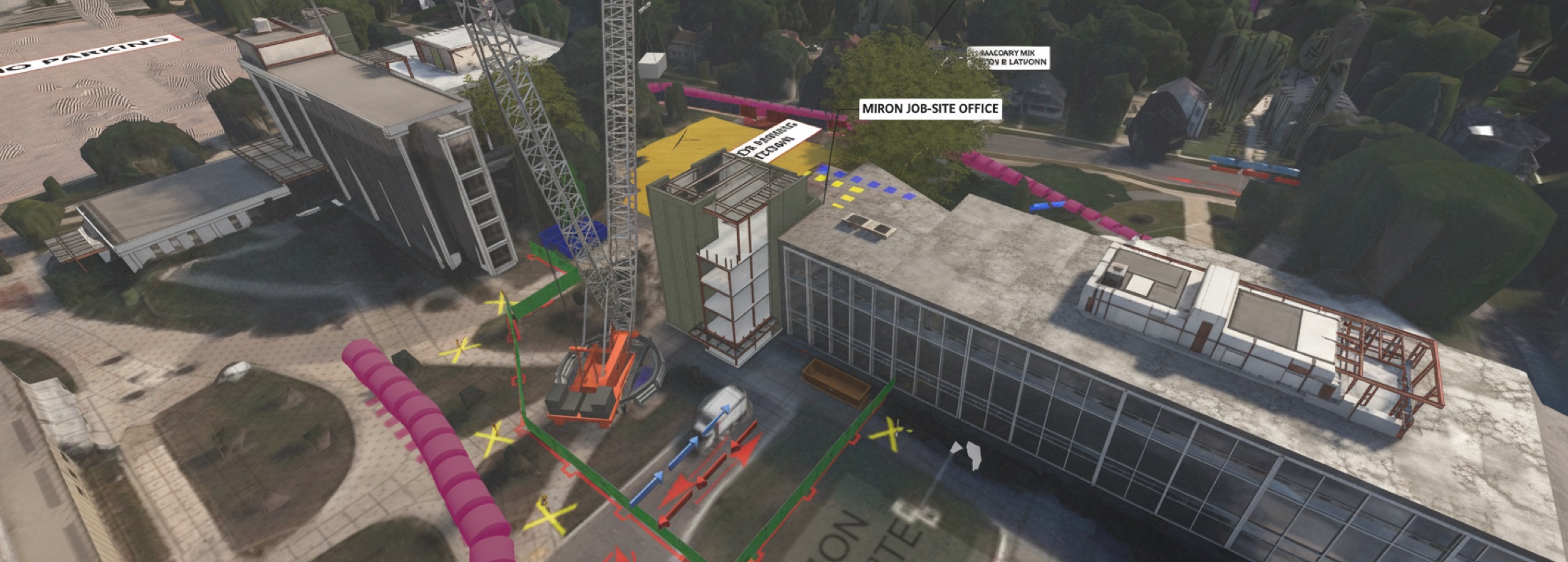 Presentation study · Crane & work areaOriginal site logistics model by Ian Alkajami · Image enhanced using CMBuilder’s built-in AI toolExpand +Close −
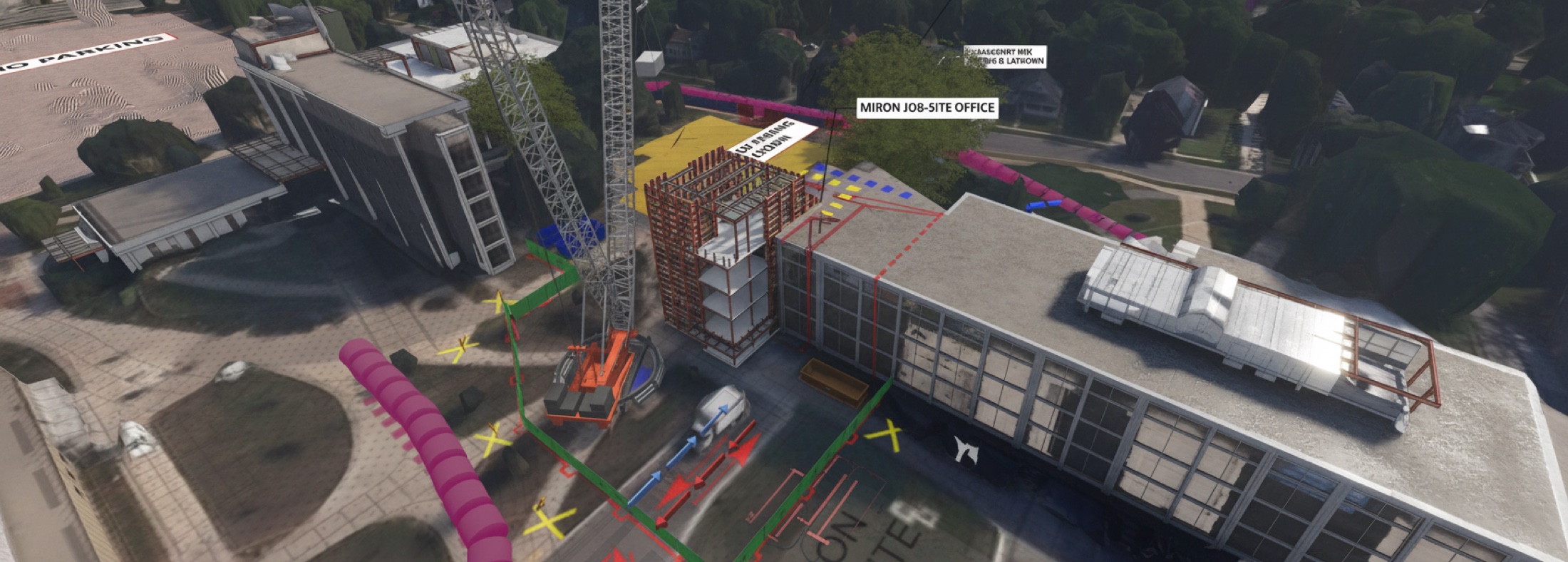 Presentation study · Building work zoneOriginal site logistics model by Ian Alkajami · Image enhanced using CMBuilder’s built-in AI toolExpand +Close −
AI enhancement changes visual details and can distort annotations. Use the native model views and planning sheets to understand the logistics proposal.
Explore the related Bluebeam logistics plans & masonry phasing ↗Beyond the featured work · Technical contributions
2D Planning & Phasing
Alongside the 3D and 4D work, I developed 2D logistics plans and masonry sequences to explain site organization, phasing, and planned installation activities.
BluebeamModel Coordination
I compiled a multidisciplinary model and maintained existing compiled models, keeping project information organized and current to support the team’s coordination work.
Autodesk Forma · NavisworksWhat the work demonstrates
The sequences, logistics views, and exploratory renders show how I organize technical project information into graphic deliverables for a team.